
Alternative
OctoPrint Alternative for Print Farms: Printago vs OctoPrint
Reviewed April 3, 2026
Looking for an OctoPrint alternative for a 3D print farm? Compare Printago vs OctoPrint on cloud slicing, multi-printer routing, and order-to-print automation, without a Raspberry Pi per machine.
Overview
OctoPrint is one of the foundational tools in desktop 3D printing. It's open source, self-hosted, deeply extensible, and excellent at controlling and monitoring a single printer through a browser. For a maker with one or two machines, it's hard to beat.
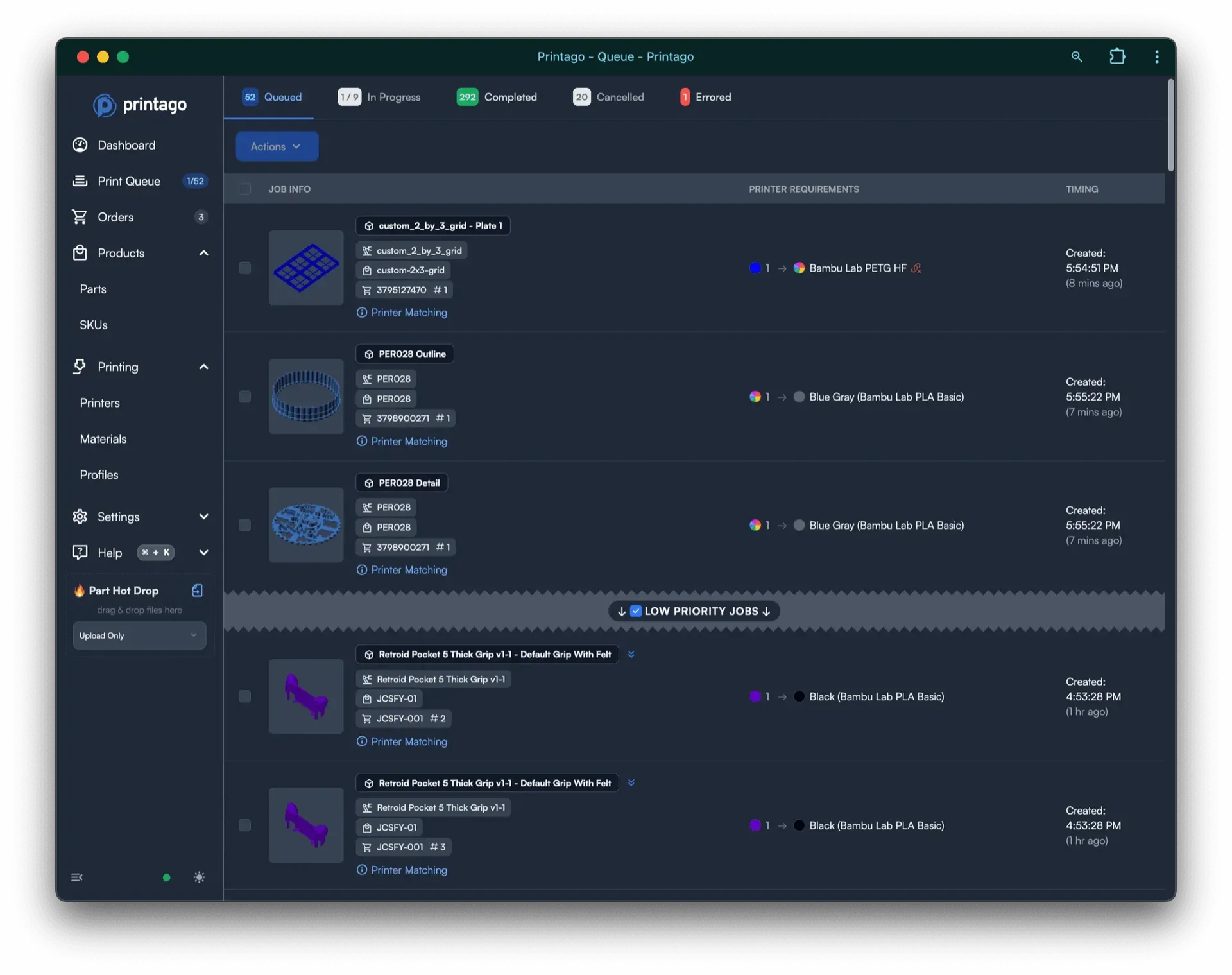
Printago solves a different class of problem. It isn't trying to be the most flexible per-printer control surface or plugin platform. It's a cloud platform for running a print farm as a production workflow: cloud slicing, order-driven queues, SKU logic, configurable products, and store integrations across your whole fleet.
If you're searching for an OctoPrint alternative, you've usually hit a specific wall: OctoPrint is per-printer, and your operation is no longer per-printer.
Why look for an OctoPrint alternative
OctoPrint was designed to manage one printer well. Each instance binds to a single machine, which means a farm typically becomes one OctoPrint install (and often one Raspberry Pi) per printer, plus a separate aggregation tool to view them together. That works at three printers and gets painful at fifteen.
The common reasons operators move on:
- No single fleet view. Ten printers means ten OctoPrint tabs unless you bolt on something else.
- A Pi (and SD card) per machine to provision, update, and eventually replace.
- No commerce layer. OctoPrint controls printers; it doesn't know about orders, SKUs, or variants.
- Manual slicing. You slice on the desktop and upload files by hand for every job.
None of these are flaws in OctoPrint. They're just outside what it set out to do.
OctoPrint vs Printago for a print farm
The cleanest way to think about it: OctoPrint is a control surface for a printer, and Printago is a workflow layer over a fleet.
OctoPrint is great at the machine layer: direct control, webcam streaming, event hooks, plugins, and a heavily customizable web interface. If you want to extend the platform itself or own every piece of the deployment, it's excellent.
Printago is much less about low-level printer interaction and much more about orchestration: making sure the right jobs get sliced, routed, started, and tracked across many printers with less manual work. The point isn't to expose every printer detail; it's to turn orders into finished prints.
Open source and extensibility
OctoPrint wins this category cleanly. It's AGPL-licensed, well documented, and backed by a large plugin ecosystem. If owning the stack, building custom printer-side behavior, and self-hosting matter most, OctoPrint is the right tool and an honest answer.
Printago is a managed SaaS product, with a self-hosted, on-premise edition for teams that need to keep the whole stack (control plane, files, and printer comms) on their own infrastructure, even fully airgapped. It exposes a public API and integration surface, but it isn't the same "bend it however you want" platform OctoPrint is. If your priority is tinkering and total control of one machine, stay on OctoPrint.
Running a farm without a Raspberry Pi per printer
A practical difference shows up fast at scale. OctoPrint's standard model is a dedicated host per printer. Printago connects cloud-capable printers directly, and LAN printers through the free Printago Fuse bridge, which runs once on a PC, Mac, NAS, or a single Raspberry Pi you already own, rather than one wired to every machine. Across a 20-printer farm that's the difference between maintaining 20 hosts and maintaining one bridge.
Printago also spans brands OctoPrint doesn't natively manage: Bambu Lab (cloud or LAN), Klipper via Moonraker, and Prusa via PrusaLink, all in one fleet.
When OctoPrint is enough (and when you've outgrown it)
OctoPrint is enough when you run a small number of printers, value open-source control and plugins, do your slicing on the desktop, and don't sell from a storefront. It remains one of the best tools in the ecosystem for that.
You've outgrown it when you're managing machines one at a time, juggling a Pi per printer, slicing and uploading by hand, or trying to push Shopify, Etsy, eBay, and WooCommerce orders into production. At that point the bottleneck isn't printer control; it's everything around the printer, and that's the layer Printago automates, including parametric model generation for made-to-order products.
Feature comparison table
| Feature | Printago | OctoPrint |
|---|---|---|
| Primary focus | Print farm workflow automation | Single-printer control and monitoring |
| Printers per instance | Whole fleet | One per instance |
| Hosting model | Cloud or self-hosted | Self-hosted |
| Hardware per printer | None (or one shared Fuse bridge) | Typically a Raspberry Pi each |
| License | Proprietary | AGPL (open source) |
| Plugin ecosystem | API + integrations | Large community plugin ecosystem |
| Cloud slicing | Yes | Local slicing via plugins |
| Material/color routing | Yes | No |
| Bambu Lab support | Yes | No |
| Native Shopify / Etsy workflow | Yes | No |
| Parametric model generation | Yes | No |
Who should choose what
Choose OctoPrint if you want open source, local control, deep printer access, and the freedom to customize a single machine heavily.
Choose Printago if you need software that treats printers as part of a larger fulfillment system. When orders, SKUs, slicing, cross-fleet routing, and repeatability matter more than low-level machine control, Printago is the more appropriate tool.
Bottom line
OctoPrint remains one of the most important and useful tools in 3D printing, and it deserves that reputation at the single-printer layer.
Printago exists for a different reason: helping businesses run print production as a system, not a set of individual machines. If you've outgrown managing printers one at a time and need the workflow above them automated, that's the gap Printago fills. For the bigger picture, see the Bambu Lab print farm guide.
Frequently asked questions
Sign up for free today
No credit card required. Connect unlimited printers and get production automation running in minutes.