
API Access & Developer Tools
Build on the Same API That Powers Printago
Full REST API, real-time MQTT events, webhooks, role-based API keys, and IP restrictions. The same API that powers the Printago UI is the one you build on.
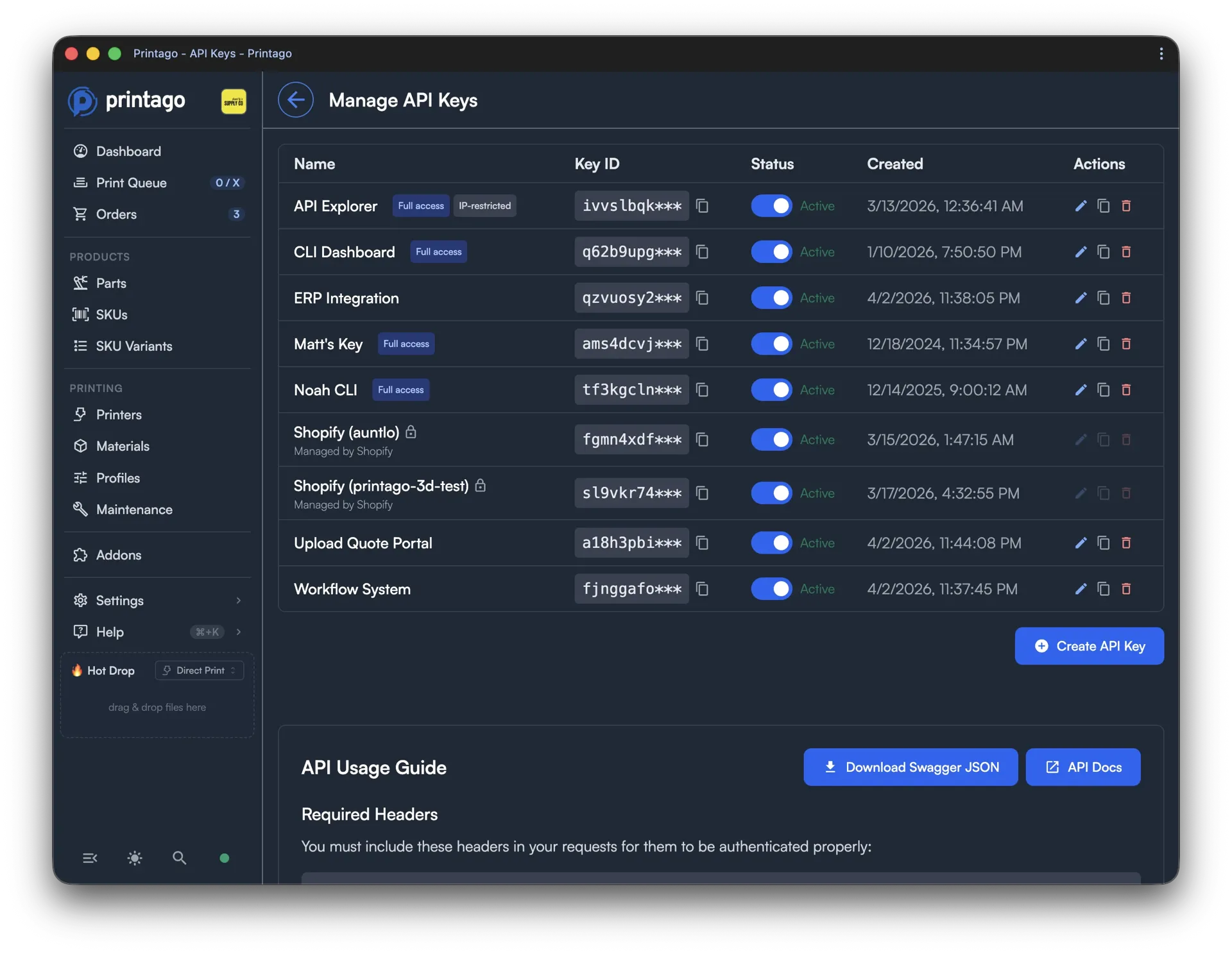
The same API that runs app.printago.io is the one you build on. Every feature in the UI is backed by an API endpoint. There's no hidden layer, no privileged internal interface. When we break something, we feel it too.
Full REST API
Every operation available in the Printago dashboard is available through the REST API. Over 300 publicly accessible API endpoints let you access and control your farm and your data. Upload parts, create SKUs, queue print jobs, manage printers, process orders, update materials. If you can do it in the UI, you can do it programmatically.
The API is versioned and backwards-compatible within versions. Integrations you build today won't break because of a platform update.
Real-Time Events
Printago gives you two ways to stay in sync with what's happening on your farm.
Webhooks push to your endpoint when something happens. Print jobs starting, completing, or failing. Printers coming online or going offline. Orders created, closed, cancelled, or auto-printed. You subscribe to exactly the events you care about.
MQTT streams state as it changes. Telemetry, live printer status, progress updates, and changes to nearly any entity in the platform. When a part is renamed, a SKU is updated, or a material assignment changes, subscribers see it in real time. For anything that needs to react to platform state continuously rather than at event boundaries, MQTT is the right tool.
Together, they mean your integrations don't need to poll.
Role-Based API Keys
API keys inherit the same permission model as user accounts. When you create a key, you scope it to exactly the permissions that integration needs.
Five built-in roles cover the most common setups:
- Store Owner full access, bypasses all permission checks
- Admin manages users, settings, integrations, and operations
- Operator runs printers and manages the queue; read-only on parts, SKUs, and orders
- Part Manager full control over parts and SKUs; no access to queue or operations
- Viewer read-only across all operational areas
One key per integration, never shared. If one integration misbehaves, you revoke just that key without affecting anything else.
IP Restrictions
API keys support CIDR-based IP allowlisting. Restrict a key to your server, your office network, or a contractor's known IP. Requests from outside the allowlist are rejected regardless of whether the key is valid.
For production automation running from a fixed server, there's no reason not to lock it down.
OpenAPI Specification
The live OpenAPI spec is always available from the API Keys portal. It's generated from the running platform, not maintained separately, so it's always accurate. Start with the spec if you're building against the API.
The Printago Developer Portal documents every endpoint with required permissions, request and response schemas, and full parameter detail.
Claude Skill for Claude Code
Printago publishes a skill for Claude Code that lets you manage your print farm through natural language. Query queue status, manage parts, fulfill orders, generate reports. It's built on the same API and shows what's possible when the underlying platform is designed for programmatic access.
Getting Started
API access is available for commercial Printago accounts. Create an API key from the API Keys page in the Printago dashboard, and start building.
Frequently Asked Questions
Is API access available on the free plan?
API access is available for commercial Printago accounts. Non-commercial personal accounts do not include API keys.
What API formats does Printago support?
Printago provides a REST API with JSON request and response bodies. A live OpenAPI specification is always available from the API Keys portal and reflects the current running platform, not a separately maintained doc.
Can I restrict API keys to specific IP addresses?
Yes. Each API key supports CIDR-based IP allowlisting. You can lock a key to a single server IP, an office network range, or a contractor's known address. Requests from outside the allowlist are rejected even if the key itself is valid.
Is the API the same one that powers the Printago UI?
Yes, exactly. There is no separate internal interface or privileged layer. Every action available in the dashboard is backed by the same API endpoints you build against. If we break something in the API, the UI breaks too, which keeps us honest.
Does Printago support webhooks?
Yes. Webhooks push to your endpoint when specific events occur: print jobs starting, completing, or failing; printers coming online or going offline; orders created, closed, cancelled, or auto-printed. You subscribe to exactly the events you need. For continuous state streaming, MQTT is also available.
Is there rate limiting on the API?
Rate limits apply to prevent abuse and ensure platform stability for all users. Specific limits are documented in the Developer Portal. For high-throughput integrations, MQTT subscriptions are the right tool for real-time state rather than repeated polling.
See also
Sign up for free today
No credit card required. Connect unlimited printers and get production automation running in minutes.