
Empower Students. Reduce Admin.
Give students hands-on 3D printing experience while maintaining control and accountability. Write lessons with the parts to print built in, assign them to your class, and keep every student's job visible in one queue.

Classwork
Lessons Students Can Print From
Classwork is a free add-on that turns your Printago account into a teaching space. Teachers write the lesson and attach the parts to print. Students read it and send those parts to the lab's printers without leaving Printago.
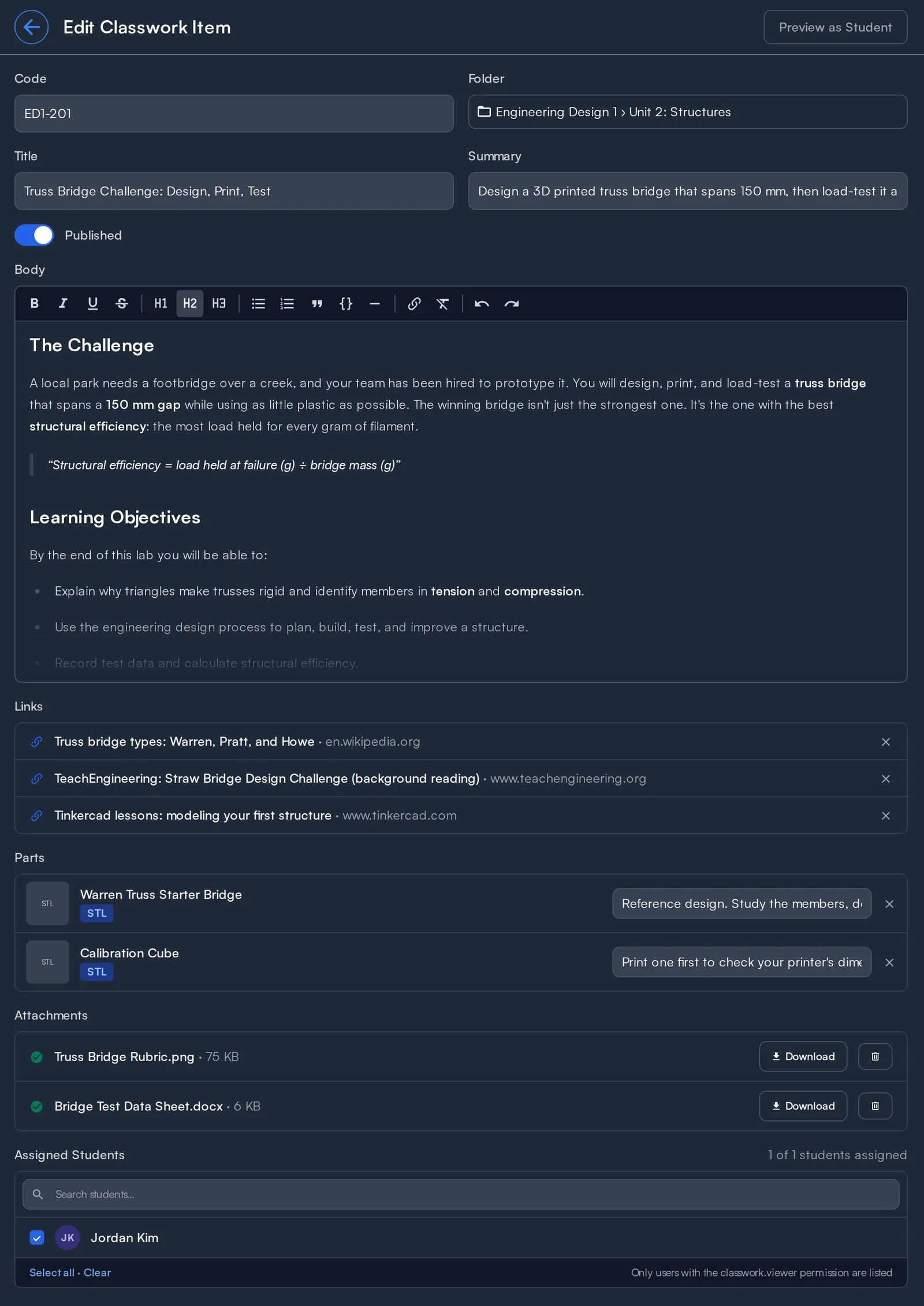
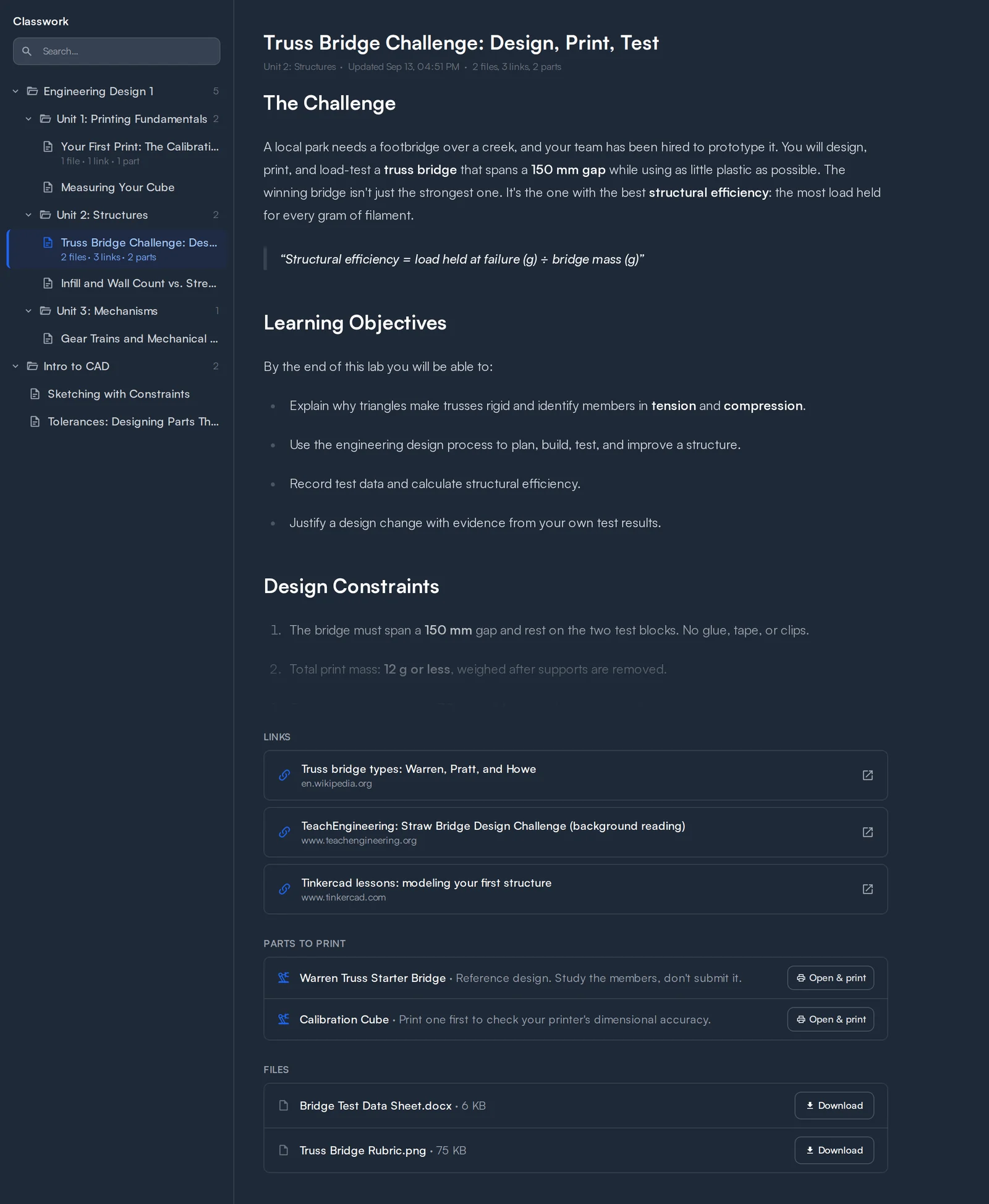
Rich-Text Lessons
Headings, lists, quotes, code blocks, and links. Paste from Google Docs or Word and the formatting comes along.
Parts to Print
Attach parts from your library with a note like "print at 0.2mm". Students open and print them inside Printago, and teachers control whether they can download or edit the underlying files.
Links and Attachments
Add reference links to videos and documentation, and attach worksheets and images (TXT, MD, DOCX, JPG, PNG) for students to download.
Folders by Class or Unit
Organize lessons into folders. Students see the same tree, trimmed to the lessons assigned to them.
Draft and Published
Students never see drafts, even when assigned. Preview as a student, publish when ready, and unpublish any time without losing assignments.
Assignments
Assign a lesson to the students who should see it, or assign students across many lessons at once from the list.
Student Role Guardrails
Students can print and cancel their own jobs. They can't reorder the queue, control printers, or change settings. Use the Viewer role for look-only classes.
Who Printed What
Every job in the print queue shows who queued it, so a class's jobs are easy to tell apart at a glance.
See the Classwork documentation for the full walkthrough.
How Schools, Labs, and Students Fit Together
Every lab is a Printago account run by its teachers. Labs join your school so IT can help manage them, and students join the labs they take part in.
Your School
Your IT Admin invites each lab to join the school and becomes an admin of every lab that joins, alongside its teachers, so IT can run a lab on a teacher's behalf.
Coming soonEngineering Lab
A Printago accountTeachers and staff
- Teachers
- Lab admin (optional)
The lab
- 3D printers
- Part libraries
- Classwork
- Lab administration
Art & Design Makerspace
A Printago accountTeachers and staff
- Teachers
- Lab admin (optional)
The lab
- 3D printers
- Part libraries
- Classwork
- Lab administration
Students
Students create their own Printago accounts and join the labs they take part in, never the school. They see each lab's printers, parts, and classwork, and switch to their own account to run their own printers.
See how it works for a whole school in Setting Up Printago for Education.
Run the Whole Lab
Control every printer from one place, keep class projects consistent, and know what's happening in the lab at all times.
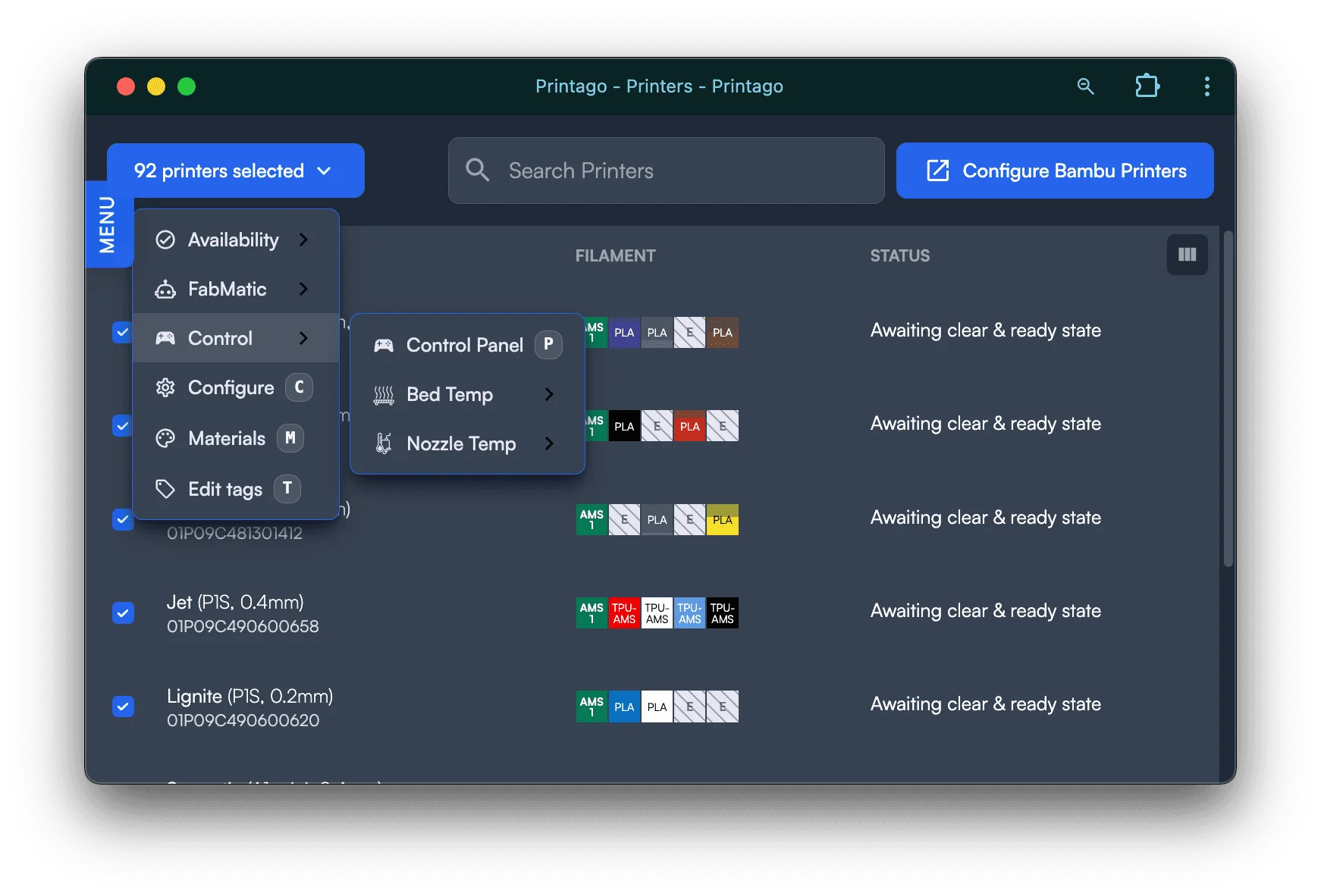
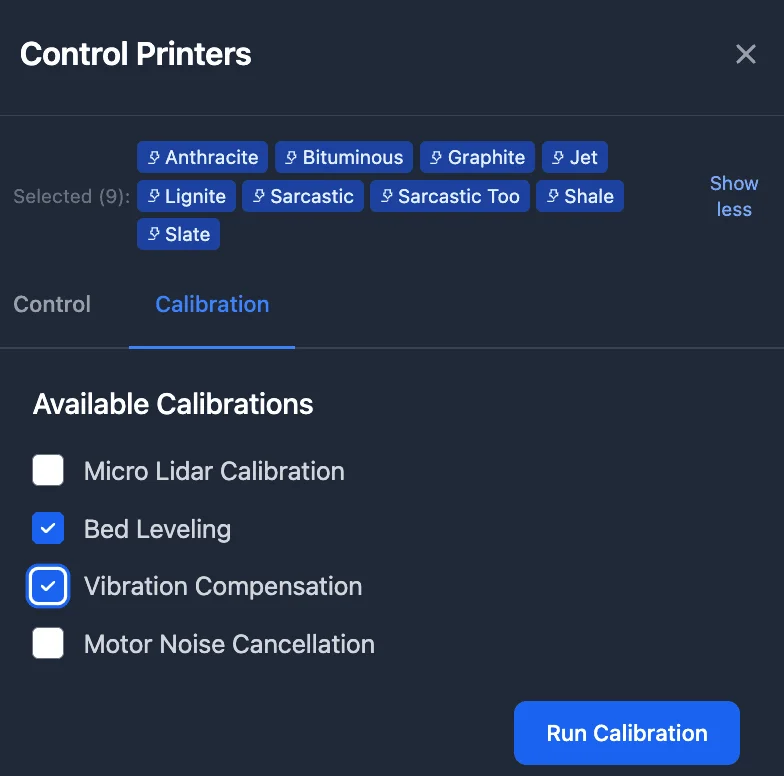
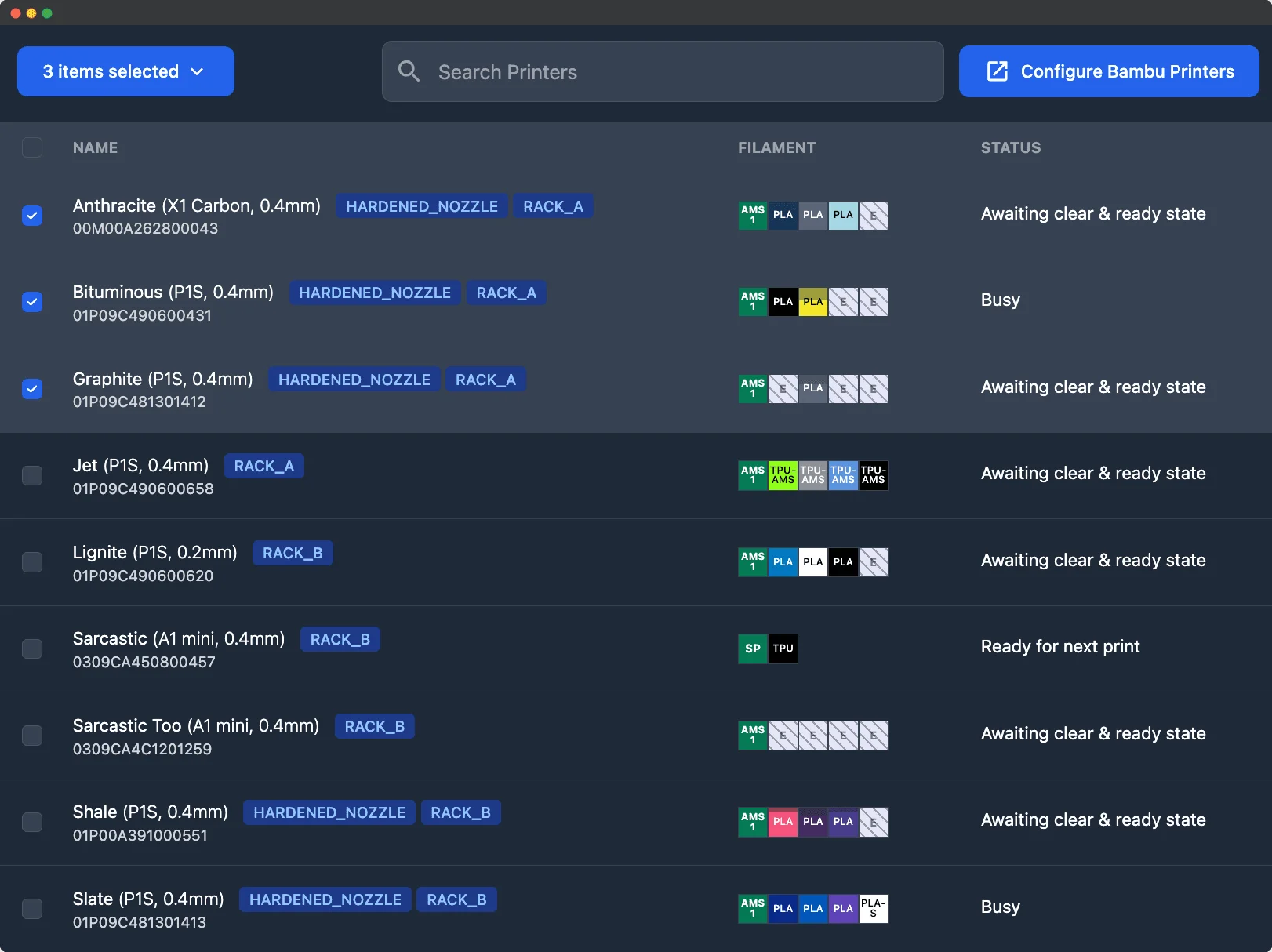
Bulk Configuration
Update lab printers in groups. Set consistent materials and profiles for class projects, run end-of-day calibrations, and prep for tomorrow's classes in minutes.
Printer Groups
Tag printers by classroom, skill level, or project type, so beginner classes print on basic machines and advanced equipment stays with upper-level courses.
Real-Time Monitoring
See active prints and printer status from one dashboard, and catch issues before they become problems.
Printer Stop Controls
Pause, resume, or stop active prints, and cancel jobs from the queue when a project needs to be removed.
Organized Print Queue
One queue for the lab. Staff reorder jobs, set priority, and cancel or retry jobs to keep supervised printing sessions moving.
Configurable Notifications
Alert staff through Slack, Discord, Telegram, Pushover, or webhooks when a print needs attention.
Reusable Class Projects
Keep approved designs in a shared Parts and SKUs library, organized in folders by class or semester. Use parameterized models and standard materials and print settings for projects you run every year.
Roles for Lab Staff
Beyond the Student role, give lab staff the access their job needs, from running the queue to managing printers and shared files.
Built for School IT
See how the lab is used today, sign in with your school's identity provider, and get chargebacks and per-student limits as they arrive.
Usage and History
Track print jobs, completion status, and material consumption across the lab, and review past projects when planning supplies, staffing, or equipment.
Cost Awareness
Use material usage, slicing estimates, and cost tools to understand what class projects consume and budget for the next term.
Single Sign-On
We set up SSO with your school's identity provider for any school that needs it, so students and staff sign in with the accounts they already have.
Usage You Can Charge Back
Auditable printer and material usage per student, so departments can see who used what and handle chargebacks without spreadsheets.
Coming soonPer-Student Limits
Set how much and how often each student can use the printers.
Coming soonPrintago Goes Home with Students
Students who learn to print in your lab can run their own printers with the same platform, not just the school's.
Students at a Printago School
Verified students get free, full access to Printago while they are students at a school that pays for Printago, including for their own printers at home.
Students at Any Other School
Verify your student status for 3 months of the Commercial plan free, then 30% off. Keep the discount by re-verifying twice a year.
Student verification is rolling out soon. Until then, email support@printago.io or message us on Discord and we'll apply the student discount to your account.
See also
Sign up for free today
No credit card required. Connect unlimited printers and get production automation running in minutes.