
Printago Fuse
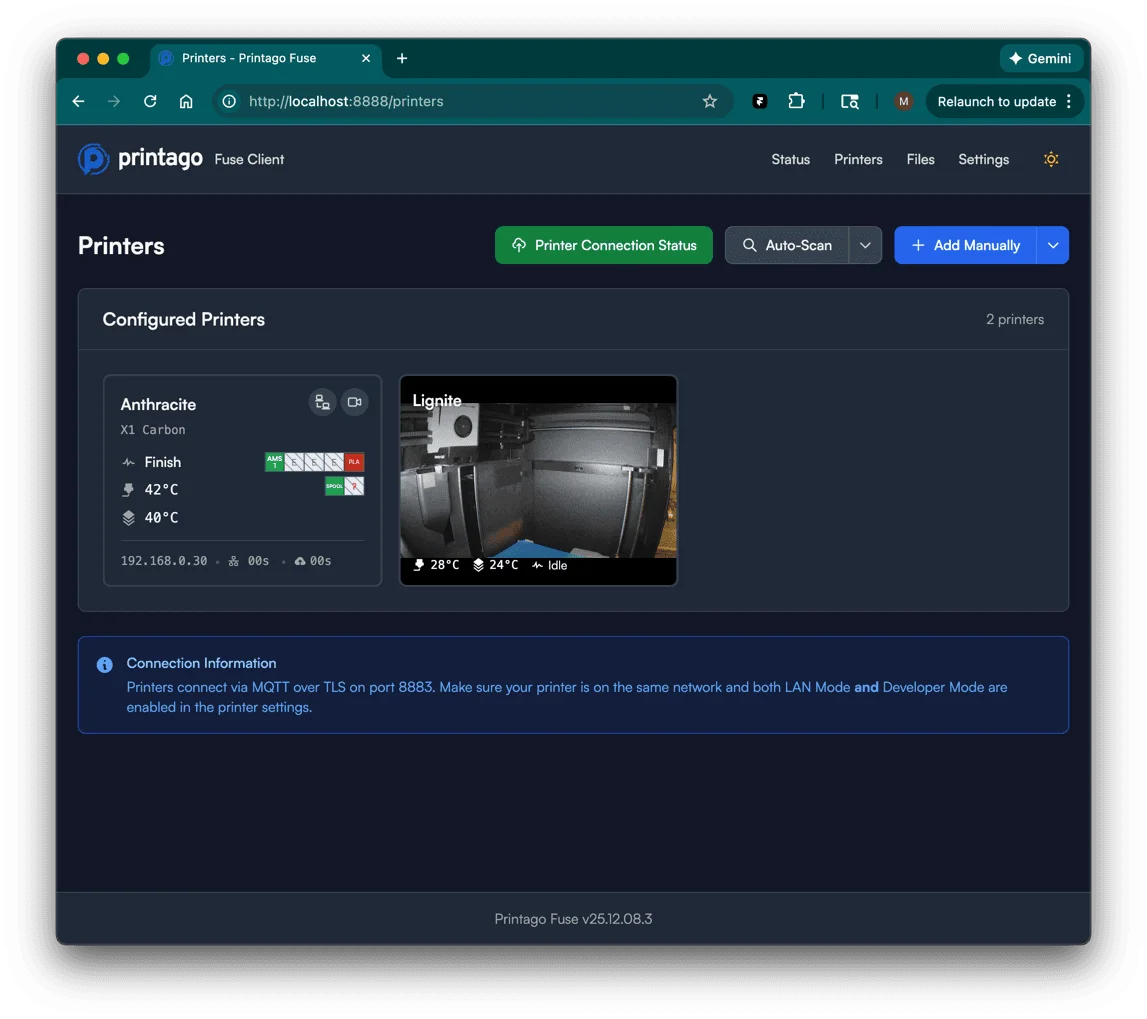
Our lightweight client runs on your local network, bridging Printago to printers that aren't reachable via cloud connections.
Fuse handles the local communication so you get full Printago functionality regardless of how your printer connects.

Supported Printers
Bambu Lab (LAN Mode)
For printers with newer firmware or those running in LAN-only mode. Requires LAN Mode + Developer Mode enabled on the printer.
Klipper
Connect your Klipper-based printers running Moonraker just as easily as your Bambu machines. Setup in seconds for automation.
PrusaLink
Connect your Prusa printers over your local network through PrusaLink. Just enter the PrusaLink password or API key from the printer's Settings → Network → PrusaLink menu. Local-only, no Prusa account required.
Bambu Cloud Mode
For your Bambu printers running firmware previous to the authorization lockout, just log into Printago and run our Bambu Integration flow.
docker volume create fuse_config
docker volume create fuse_data
docker pull ghcr.io/printago/fuse:latest
docker run -d --name printago-fuse \
  --restart unless-stopped \
  -p 8888:8888 \
  -v fuse_config:/app/config \
  -v fuse_data:/app/data ghcr.io/printago/fuse:latest
Docker Install
Pull the image and run with a single command, or add the service to your docker-compose.yml for managed deployments. Configuration and print data persist across container restarts and updates.
After starting the container, access Fuse at http://localhost:8888 to complete setup.
Sign up for free today
No credit card required. Connect unlimited printers and get production automation running in minutes.