
Shopify Integration
Your Shopify Store, Fully Automated Production.
Install the Printago app from the Shopify App Store and connect your storefront to a fully automated 3D print pipeline. Orders sync in real time, map to your SKUs, and flow through slicing, routing, and printing, hands-free.
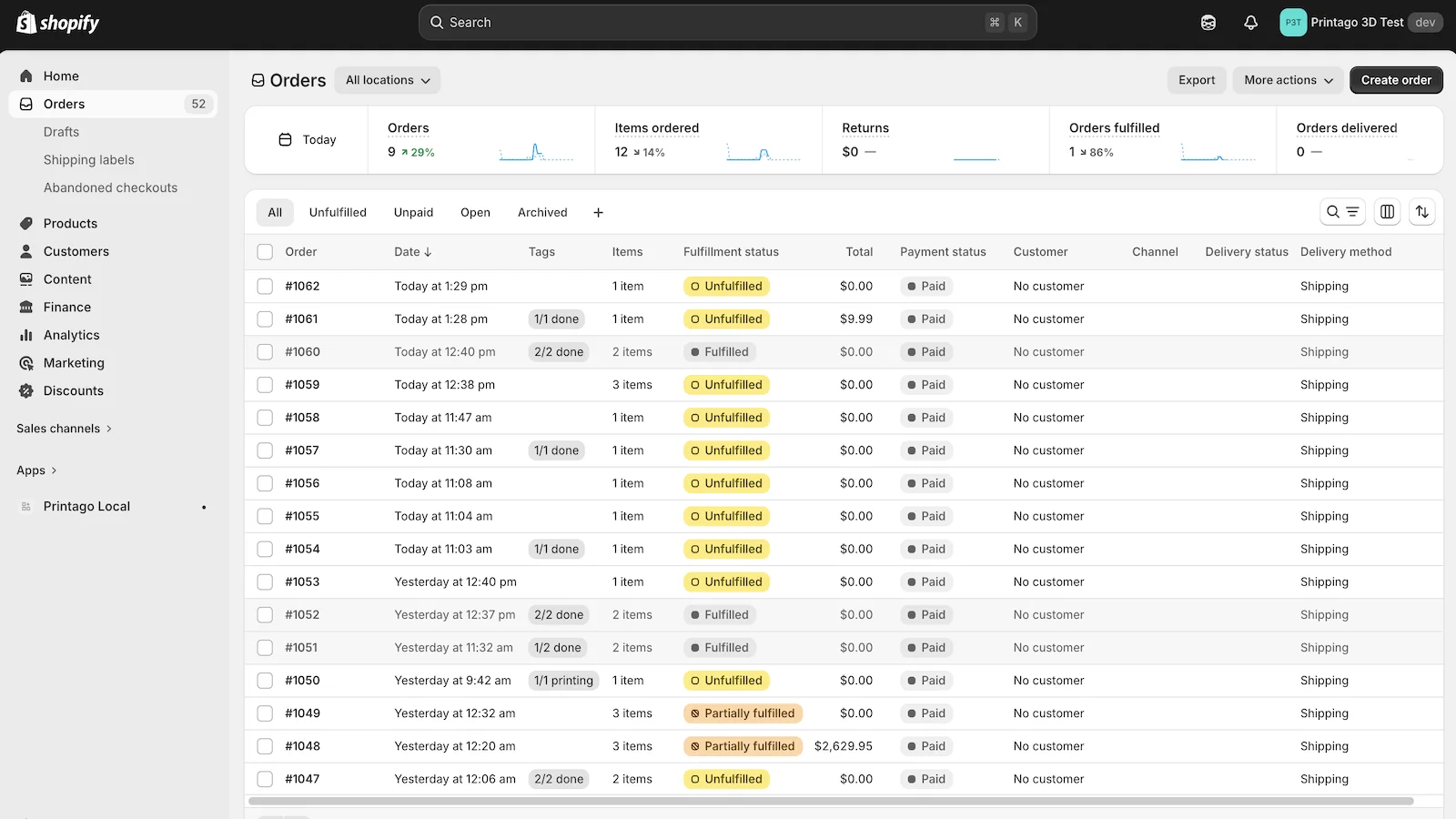
How It Works
Three steps from Shopify checkout to finished print. No middleware, no Zapier, no manual handoffs.
Install & Connect
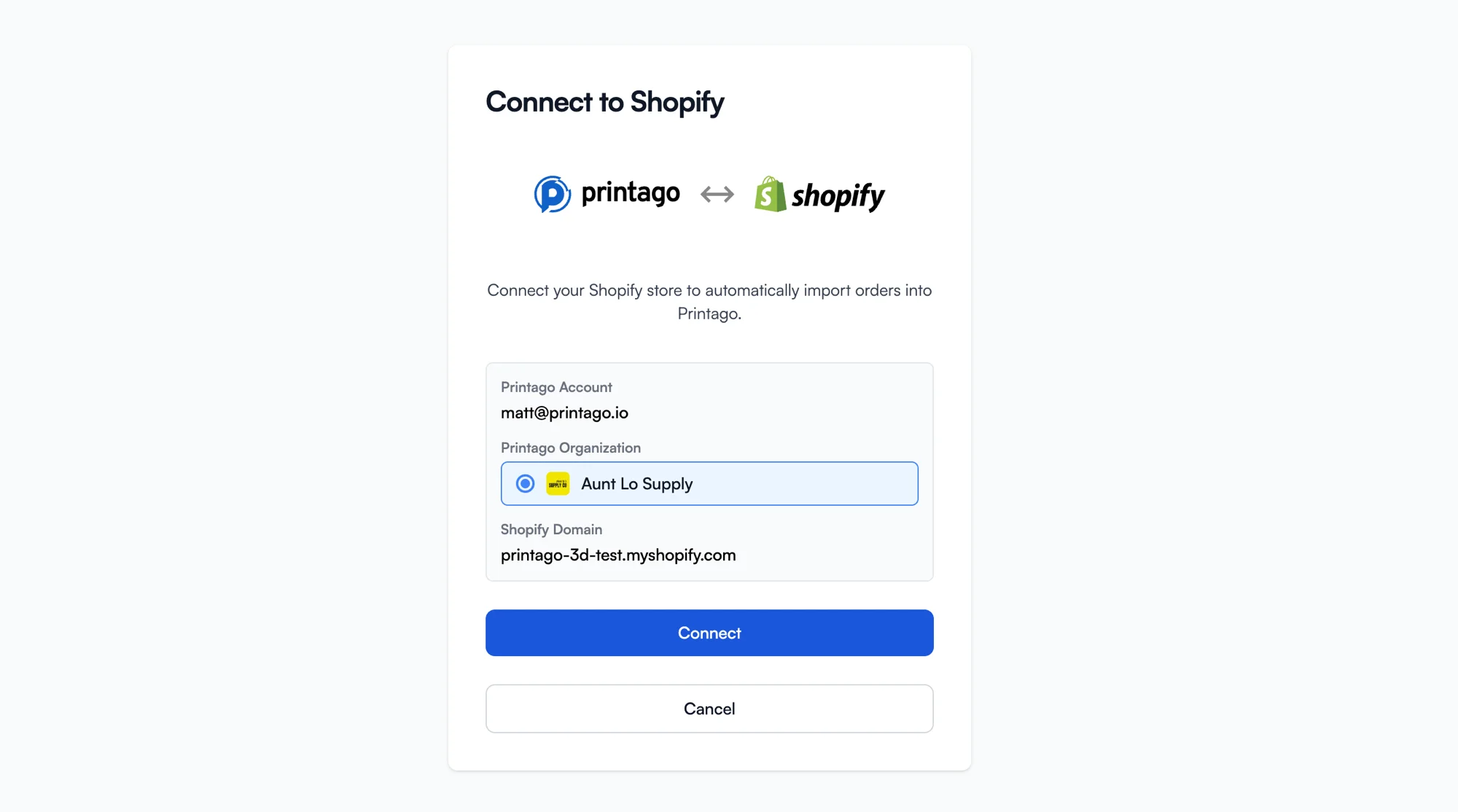
Install the Printago app from the Shopify App Store. Connect your store to your Printago organization in one click. Orders start syncing immediately.
Map Your SKUs
Match Shopify product variants to Printago production recipes: the model, slicer profile, and material. Set it once per product.
Orders Auto-Fulfill
New orders are sliced, queued, and routed to the right printer automatically. Progress tags and fulfillment status write back to Shopify in real time.
Official Shopify App: No Middleware Required
Printago is a native Shopify app, listed on the Shopify App Store. Connect your store with a single click: no webhooks to configure, no third-party bridges to maintain, no Zapier chains to debug. The integration speaks Shopify's API directly.
One-Click Setup
Install from the Shopify App Store, select your Printago organization, and you're connected. No API keys to copy, no config files to edit.
Multi-Store Support
Run multiple Shopify stores from one Printago account. Each store syncs independently with its own SKU mappings and settings.
Real-Time Order Sync via Webhooks
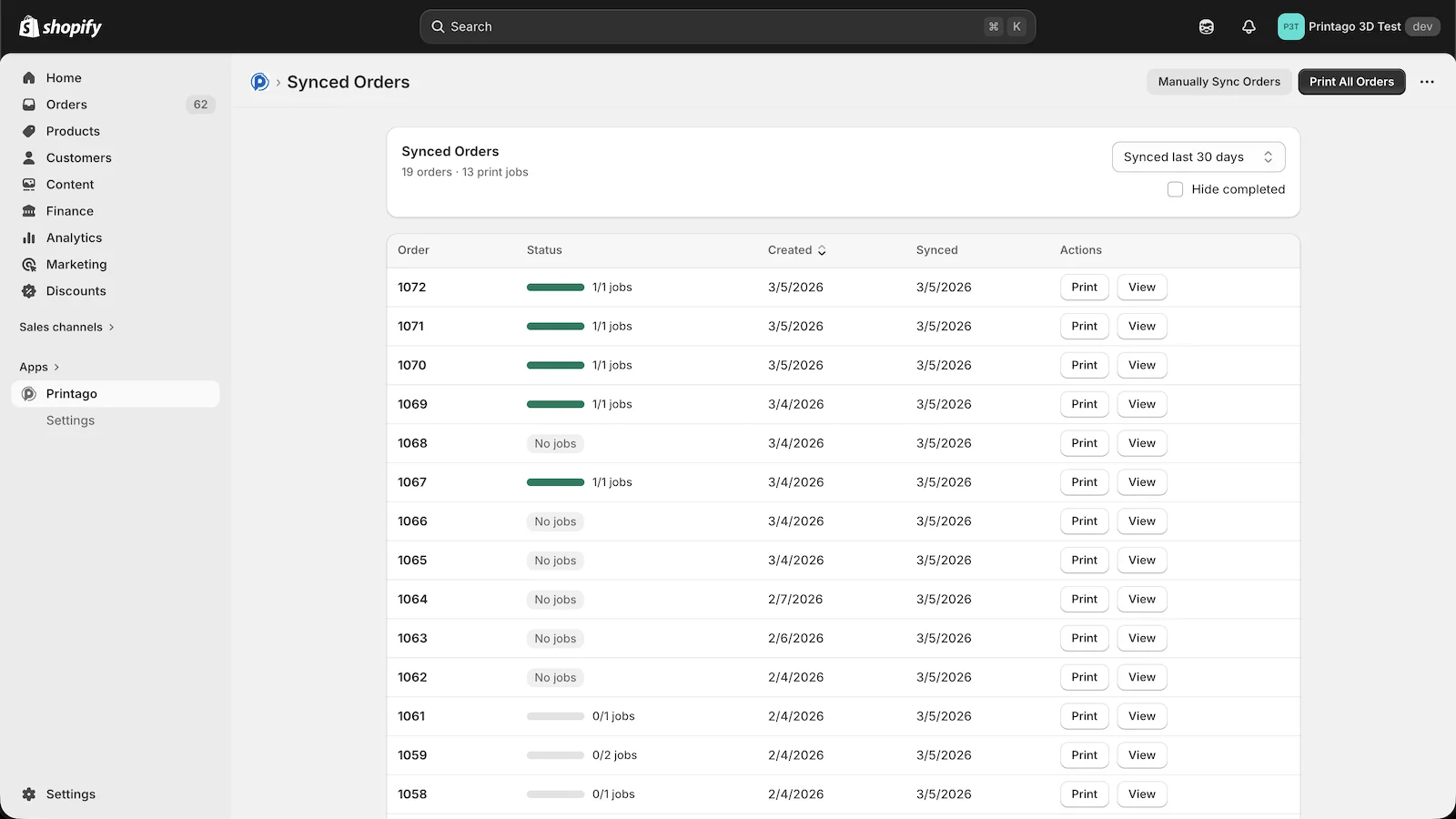
Orders appear in Printago the moment they're placed. Shopify webhooks push new orders instantly: no polling delays, no manual imports. See every order's production status from inside Shopify Admin.
Instant Delivery
Webhook-based sync means orders hit your production queue in seconds, not minutes. Backfill historical orders with one click.
Full Visibility
Track every order from Shopify checkout through slicing, printing, and fulfillment. Job counts and completion status visible directly in the app.
Visibility
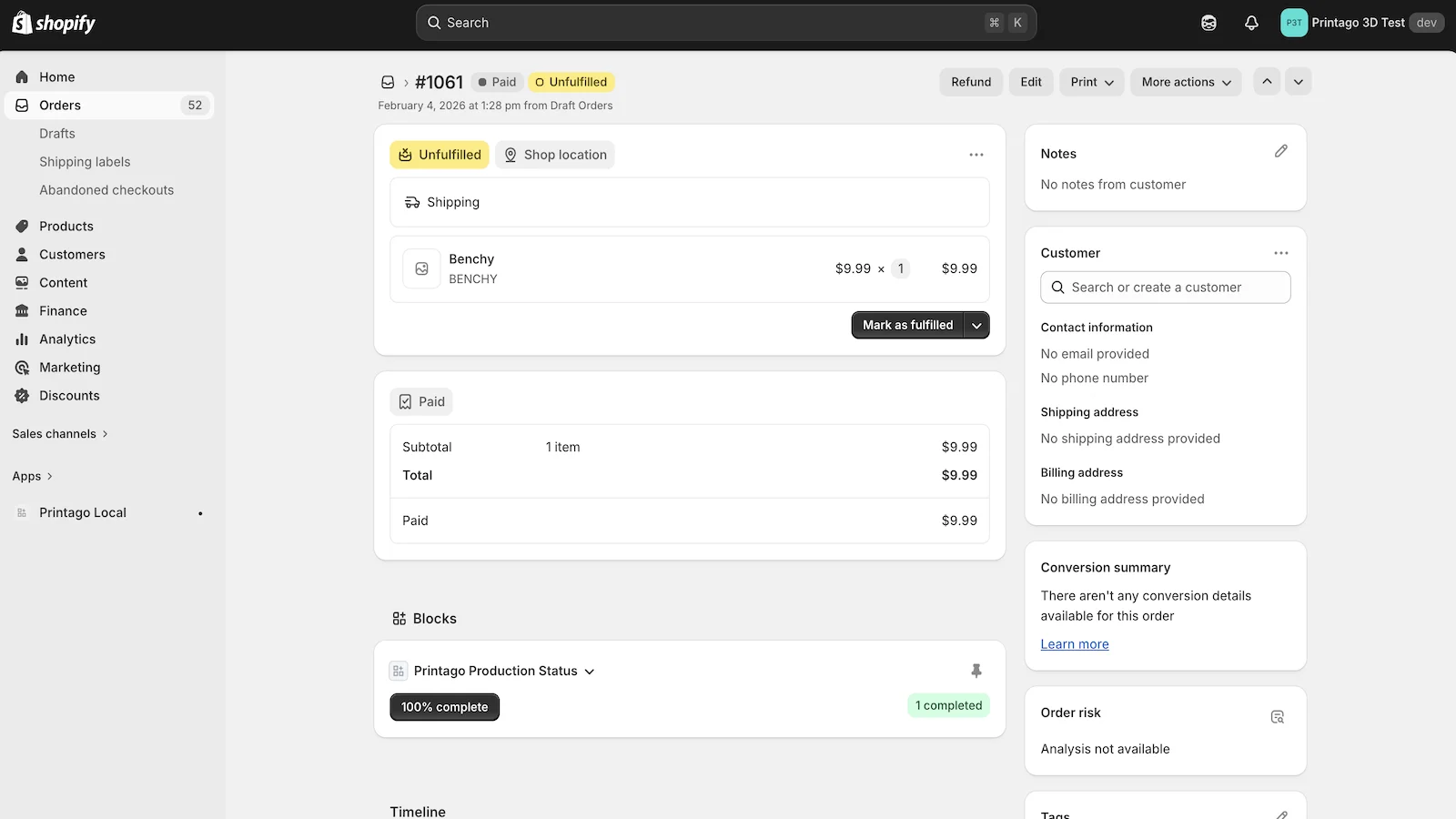
Production Status Without Leaving Shopify
Your team doesn't need to learn a new tool. Print progress is visible right where they already work, in Shopify Admin.
Progress Tags
Printago writes production status tags directly to Shopify orders: queued, printing, printed, done. Filter and search by tag.
Status Block
A Printago Production Status block appears on every order detail page showing completion percentage and job counts.
Auto-Close Orders
Configure orders to close automatically when fully or partially fulfilled. No manual cleanup after production completes.
Configurable
Toggle automatic printing, progress tags, and auto-close behavior per store. Tune the integration to match your workflow.
Your Product Catalog Drives Production
Every Shopify variant has a SKU. Printago uses that SKU to link what the customer ordered to how it gets produced: the 3D model, slicer profile, and material. Add a new color in Shopify, map the SKU in Printago, and it's production-ready.
Smart SKU Resolution
Option-based matching, suffix parsing, and line item property mapping: Printago resolves complex variant structures automatically.
Parametric Products
Sell personalized items on Shopify. Customer inputs flow into your OpenSCAD or CadQuery script, generating a unique model per order.
Scale Without Hiring
The automation that handles 5 orders a day handles 500 the same way. Add printers, not people.
Mixed Fleet Support
Bambu Lab, Klipper, Prusa: run a mixed fleet and manage everything from one dashboard.
Smart Queue Routing
Jobs route to the right printer based on material, capability, and availability. No manual assignment.
Continuous Production
FabMatic runs printers back-to-back overnight. Wake up to finished orders, not idle machines.
Frequently asked questions
See also
Sign up for free today
No credit card required. Connect unlimited printers and get production automation running in minutes.