
OpenSCAD Online: Generate Parametric 3D Parts
Dynamic Models That Customize Themselves
Generate custom parametric parts from OpenSCAD in the cloud. Vary text, dimensions, and features per order, then slice and print automatically. Built for mass customization.
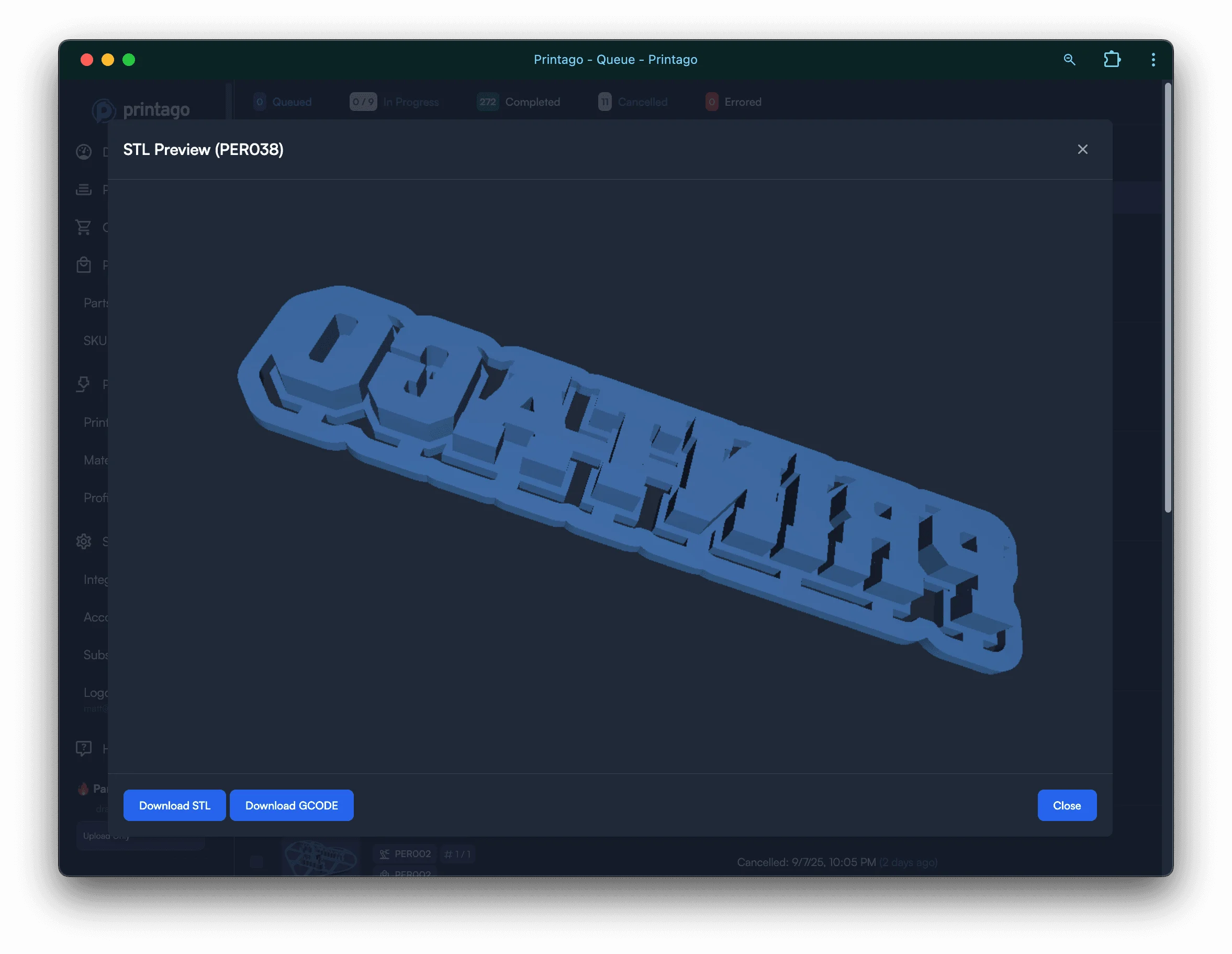
Native OpenSCAD support lets you create parametric designs with customizable text, dimensions, and features. Perfect for personalized products and mass customization.
Native OpenSCAD Processing
Printago renders OpenSCAD files on-demand when queued for printing. Parameters generate fresh STL files based on customer input. No manual CAD work needed for customizations. Files process server-side with access to fonts and libraries. Interactive 3D previews show generated output before printing.
Parameter Types and Controls
OpenSCAD parameters automatically convert to appropriate input controls. Text fields for custom engravings and messages. Number inputs for dimensions and measurements. Boolean toggles displayed as checkboxes. Dropdown menus for predefined options with custom labels. Parameters placed before first curly braces are imported automatically.
File Dependencies
OpenSCAD parts support use and import commands for complex designs. Include custom fonts in TTF or OTF format. Import STL files for modification or combination. Use SVG and DXF files for 2D profiles. Reference OpenSCAD libraries without modification. All dependencies upload during part creation.
SKU Parameter Management
Control which parameters appear when printing SKUs. Disable parameters at the SKU level for fixed values. Expose parameters marked as SKU PARAM for customization. Use the same OpenSCAD part multiple times with different settings. Perfect for offering product variants from single parametric design.
Built-in Libraries
Access extensive OpenSCAD libraries without installation. BOSL and BOSL2 for advanced geometric primitives. Gridfinity for modular storage systems. MCAD for mechanical parts and fasteners. NopSCADlib for technical drawings. dotSCAD for artistic patterns and designs.
Python CAD: CadQuery and build123d
Prefer Python to OpenSCAD's scripting language? Printago also runs CadQuery and build123d parts. Both are Python-based parametric CAD libraries that generate solid models from code. Define parameters as Python variables and Printago converts them to input controls the same way it does for OpenSCAD. Files render server-side on demand, producing fresh printable output from each order's parameters. STEP, STL, and 3MF exports are all supported. Use whichever tool fits your workflow, or mix parametric parts across all three within the same store.
ColorSCAD Add-On
Commercial add-on enables multi-color OpenSCAD models. Each color statement becomes a separate component. Define colors parametrically for customer selection. Supports named colors, hex codes, and RGB values. Components automatically separate for multi-material printing.
Parameter Best Practices
Place all parameters at the top of your file before modules. Use descriptive variable names and comments. Provide reasonable default values for all parameters. List most common dropdown option first. Keep parameter names under 30 characters for display.
Business Automation
Perfect for mass customization without manual work. Customer names automatically engrave on products. Sizes adjust based on order specifications. Optional features toggle on or off per order. Integrate with future e-commerce connections for full automation.
Frequently Asked Questions
What CAD tools does Printago support for parametric models?
Printago supports OpenSCAD, CadQuery, and build123d for parametric parts. STL, STEP, and 3MF files are also supported for static models, while parametric formats generate fresh printable output from the parameters you provide.
Do I need to know how to code?
You need to be comfortable with the format you choose. OpenSCAD uses a simple scripting language, while CadQuery and build123d use Python. If your file defines clear parameters, Printago handles parameter UI generation, rendering, and queuing.
Can customers customize products themselves?
Not directly in Printago. Customization happens through your e-commerce storefront (Etsy, Shopify, etc.), where customers enter their options. Those values flow into Printago automatically and get passed to your parametric model at print time.
What OpenSCAD libraries are pre-installed?
Printago includes BOSL, BOSL2, Gridfinity, MCAD, NopSCADlib, and dotSCAD out of the box. Custom fonts in TTF or OTF format can be uploaded alongside your part file as dependencies.
Does parametric generation work with Etsy and Shopify orders?
Yes. Personalization variants capture customer-entered text from order details and pass it directly to your parametric part parameters. When an order arrives with a customer name or custom dimension, the model renders automatically without any manual input.
Is there a limit to how many parametric models I can generate?
There is no hard cap on parametric renders. Generation is triggered on demand when jobs are queued. Render time depends on model complexity; most simple personalization models complete in seconds.
See also
Sign up for free today
No credit card required. Connect unlimited printers and get production automation running in minutes.