
Blog
Bambu Lab AMS Maintenance: Check Your PTFE Tubes Before They Fail
June 29, 2026
Bambu Lab AMS disassembly is just two screws. Here's how to inspect and replace worn PTFE tubes on the X1, P1, H2D, and X2D before a frayed line jams a multi-color print.
A quick tip from the print farm trenches: Bambu Lab AMS disassembly is only two screws. When you're already offlining a machine for lubrication, it's the perfect time to crack open the AMS, clean it out, and check for wear in the PTFE tubes.
Those little white tubes do a lot of quiet work, and they don't last forever. Once one wears through, you'll eventually end up with a bowl of regretti in the AMS mid-print, and at that point it's a canceled print for sure. This guide covers what to look for, how often to check, and which Bambu Lab models it applies to.
Why AMS PTFE Tube Wear Matters
The PTFE tubes guide filament through the AMS. Every retraction and load cycle drags filament across the inside wall of the tube. Over enough hours, that friction thins the wall until it splits. When it goes during a print, the filament path collapses, the feed jams, and the spaghetti you find afterward is the polite version of what actually happened.
The good news is this failure is completely predictable, and it's visible long before it becomes catastrophic. You just have to look.
Which Bambu Lab AMS Models This Covers
The two-screw teardown applies to the standard enclosed AMS, the same unit (and the newer AMS 2 Pro) that feeds these printers:
- X1 series — X1C (X1 Carbon) and X1E
- P1 series — P1S and P1P
- H2D and X2D
If you run the A1 or A1 Mini, your filament is routed through the AMS Lite, which uses external PTFE feed tubes rather than the enclosed cartridge. It isn't the same two-screw job, but those feed tubes still wear, so give them the same periodic once-over.
How to Inspect Your AMS PTFE Tubes
You don't need to fully tear the AMS down to check. Undo each PTFE line at the "easy end" and pull it back far enough for a visual inspection. A few minutes per machine is all it takes.
A tube in good condition will look solid and uniform. Here's what one looks like when it's near catastrophic failure, the wall has worn so thin it's frayed and barely holding together:
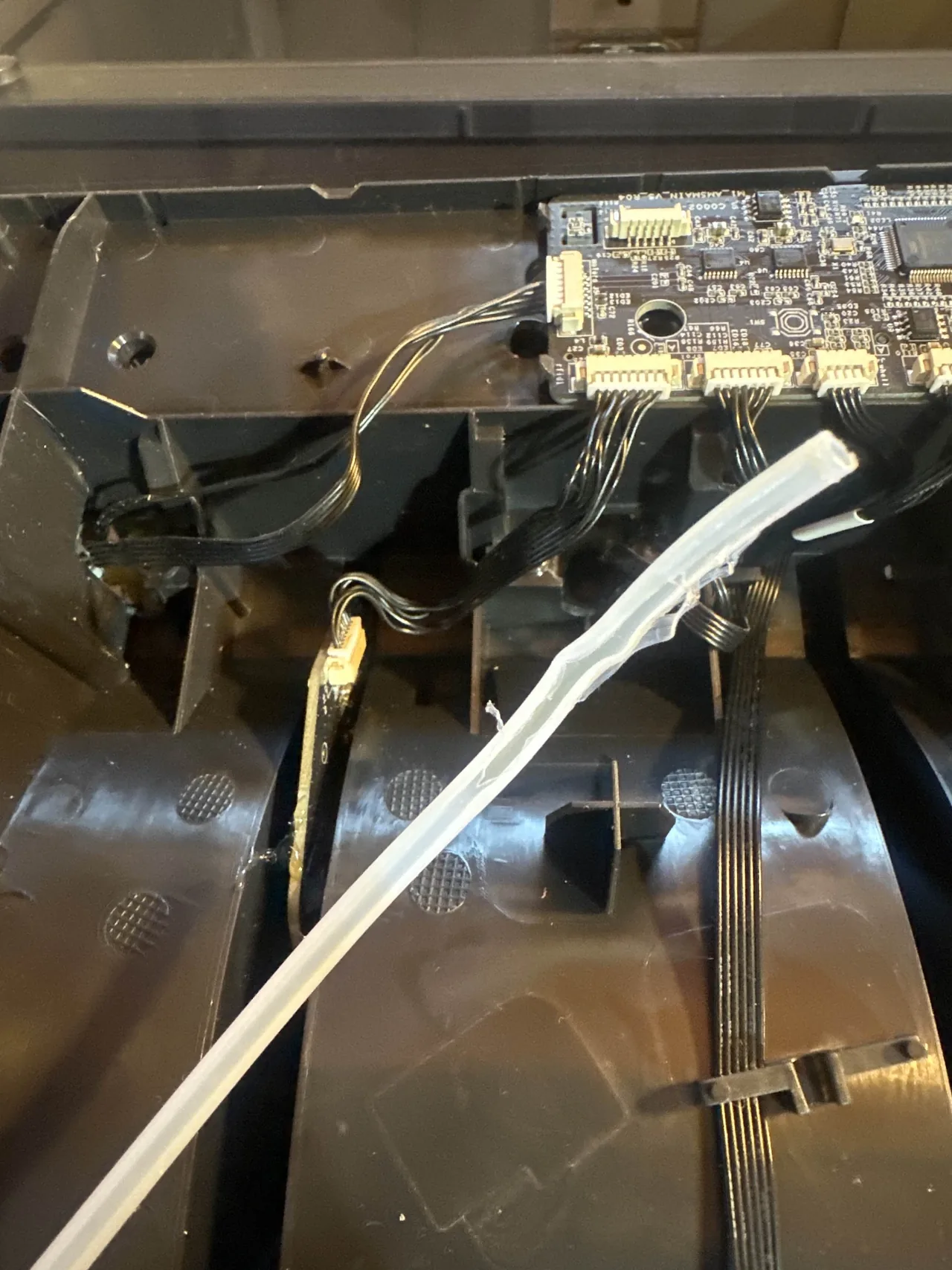
That tube was minutes of print time away from dumping filament into the AMS. You don't want to catch it at this stage. You want to catch it earlier.
A worn tube that's worth replacing, but hasn't failed yet, will show a visible line running along it where the wall has thinned. This one is still intact, but the line tells you its days are numbered:
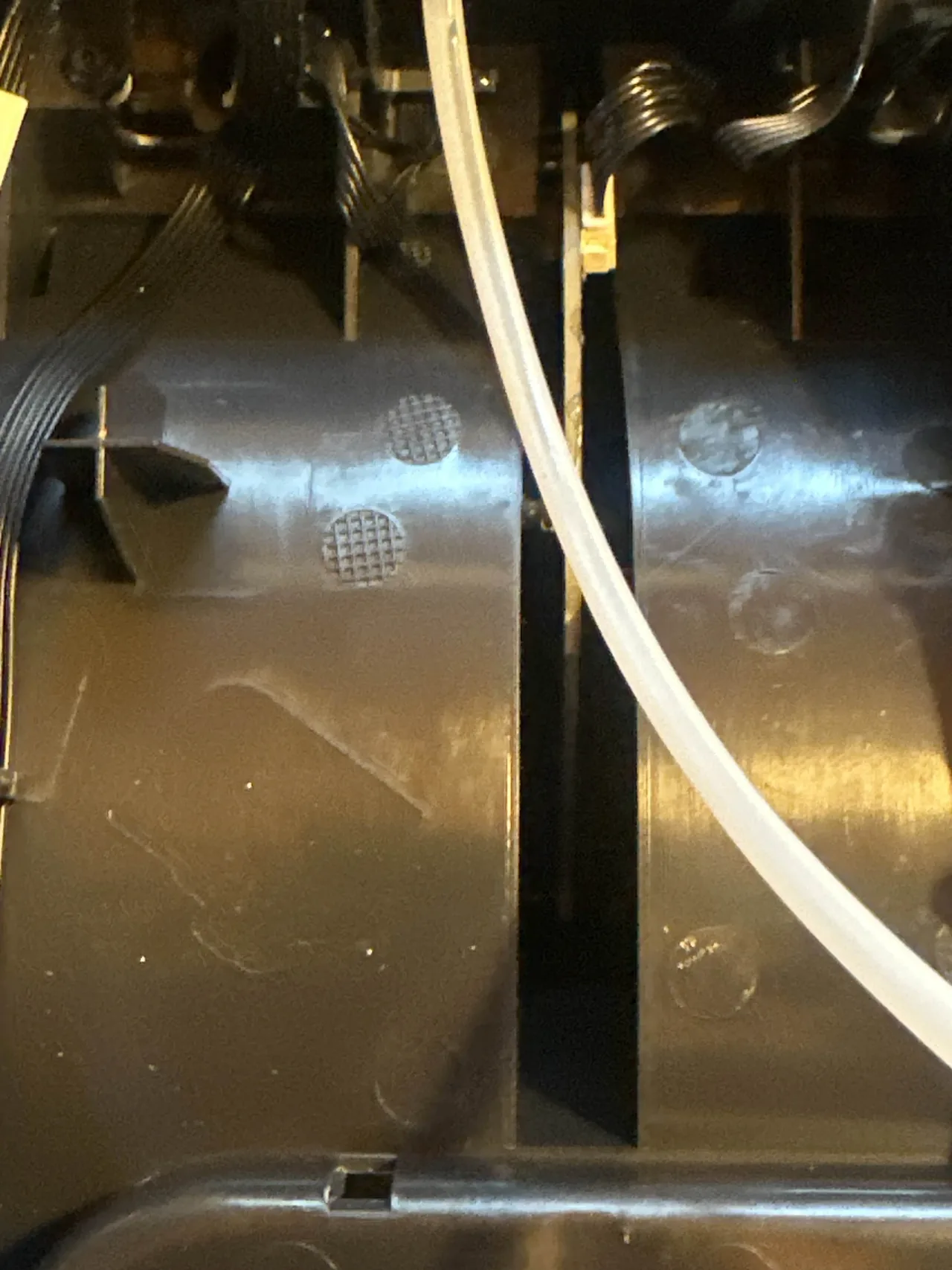
If you see that line, swap the tube. They're cheap. Canceled prints, wasted filament, and a clogged AMS are not.
How Often Should You Check AMS PTFE Tubes?
Wear depends entirely on how you use the AMS. For most people, slot 1 wears first, but your pattern will vary based on which slots you lean on.
As a rule of thumb:
- Heavy multi-color printing: inspect every 500 hours. All those tool changes add up fast.
- Mostly single-color printing: every 1,000 hours is plenty.
Build AMS Inspection Into Your Maintenance Routine
The whole point here is that PTFE inspection costs almost nothing when you fold it into work you're already doing. You've got the machine offline and the AMS open for lubrication anyway, so spend the extra few minutes on the tubes.
If you're running more than a couple of machines, "I'll remember to check" stops working. This is exactly what Printago's Maintenance Tracker is built for: define an AMS inspection task triggered by print hours, assign it across your Bambu Lab print farm, and let Printago tell you which machines are coming due before a worn tube becomes a bowl of regretti. Pair it with Maintenance Mode to pull a printer cleanly out of the queue while you service it.
Check your tubes. Future you, the one not cancelling a 12-hour print at hour 11, will thank you.
Frequently asked questions
Sign up for free today
No credit card required. Connect unlimited printers and get production automation running in minutes.