
3D Print Farm Mobile App - Monitor Printers from Your Phone
Your entire print farm, in your pocket
Monitor your 3D print farm from your phone with the Printago mobile app. Live printer cameras, print progress, remote pause and stop, temperature controls, and filament management on iPhone, iPad, and Android.

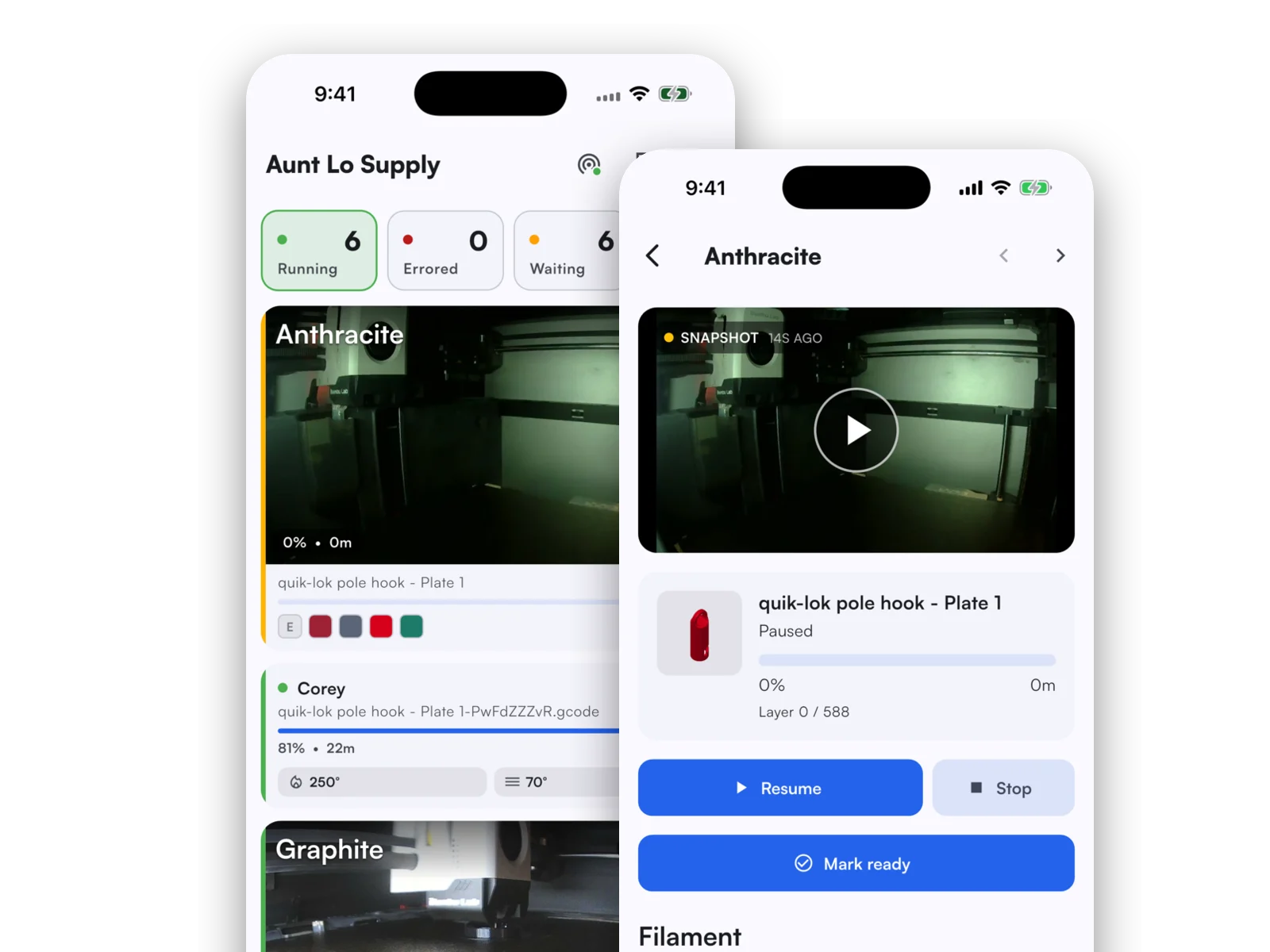
The Printago mobile app puts your whole fleet in your pocket. Watch live printer cameras, follow print progress, pause or stop a job, adjust temperatures, and reassign filament, all from your phone or tablet. It is the fastest way to keep an eye on production when you are away from your desk and step in the moment something needs attention.
The app is a companion to the web dashboard, not a replacement. It focuses on the things you reach for on the go: knowing every printer's status at a glance and taking action without walking back to a computer.
Monitor every printer at a glance
Open the app to a live camera grid of your entire fleet. See which printers are running, waiting, errored, or ready, with the latest snapshot from each camera updated in real time. Tap any printer to open its detail view with a full live stream, current job, layer progress, and time remaining.
Take control from anywhere
You are not limited to watching. From a printer's detail screen you can pause, resume, or stop the active print, adjust nozzle and bed temperatures, and toggle the chamber light and part-cooling fan. When a print needs filament attention, reassign any AMS slot or external spool right from your phone.
Built on your existing account
There is nothing new to configure. Sign in with the same Printago email and password you use on the web, and your stores, printers, and queue are already there. The app respects the same roles and permissions as the dashboard, so each team member sees and controls exactly what their role allows. If you manage more than one store, switch the active store from the Account tab at any time.
Available now on iPhone, iPad, and Android
The Printago app is available today on the Apple App Store and the Google Play Store. It runs on both phones and tablets, adapting its layout to the bigger screen.
Download on the App Store or Google Play, and read the mobile app documentation to learn more, including the tablet experience.
Frequently asked questions
Sign up for free today
No credit card required. Connect unlimited printers and get production automation running in minutes.