
Serial Numbers - Unique, Consecutive Serials Printed into Every Part
Give Every Unit Its Own Permanent Identity
Sequences stamp a unique serial number into the geometry of every unit you print. Bind a sequence to a text parameter on a SKU, queue 25 units, and get 25 consecutive serials modeled into the parts themselves. A number, once issued, is never printed twice by accident.
Numbered collectibles, asset tags, warranty-tracked parts, limited runs: some products need each physical item to carry a number of its own. Sequences make that automatic. A sequence is a named counter in your store. Attach it to a text parameter on a SKU's part, and every unit you queue takes the next number and has it modeled straight into the geometry before slicing. No hand-editing files, no stickers, no spreadsheet of what went out. Print 25 and you get 25 parts stamped 0101 through 0125, in order, with a ledger of which job printed which.
Modeled In, Not Applied After
The serial is part of the model. Printago fills the text parameter with the serial, regenerates the text geometry, and slices that unit on its own, so the number comes off the printer embossed or debossed exactly where you designed it. Two kinds of parts can carry one:
- Parametric models written in OpenSCAD, CadQuery, or Build123d, with a text parameter that renders into the geometry. See Parametric Parts.
- Bambu Studio 3MF files with text placeholders. Add 3D text to your model with Studio's text tool, name the text object so it starts with
PrintagoParam, and upload. Printago detects the placeholder and turns it into a parameter automatically, keeping your font, depth, placement, and every other setting in the project untouched.
Because the text is redrawn for each value, a serial that is longer or shorter than the text you authored still fits. Each placeholder carries a replacement sizing rule: stretch to fill the original footprint, fit within it while keeping proportions, or draw at the authored size.
Bind Once, Number Forever
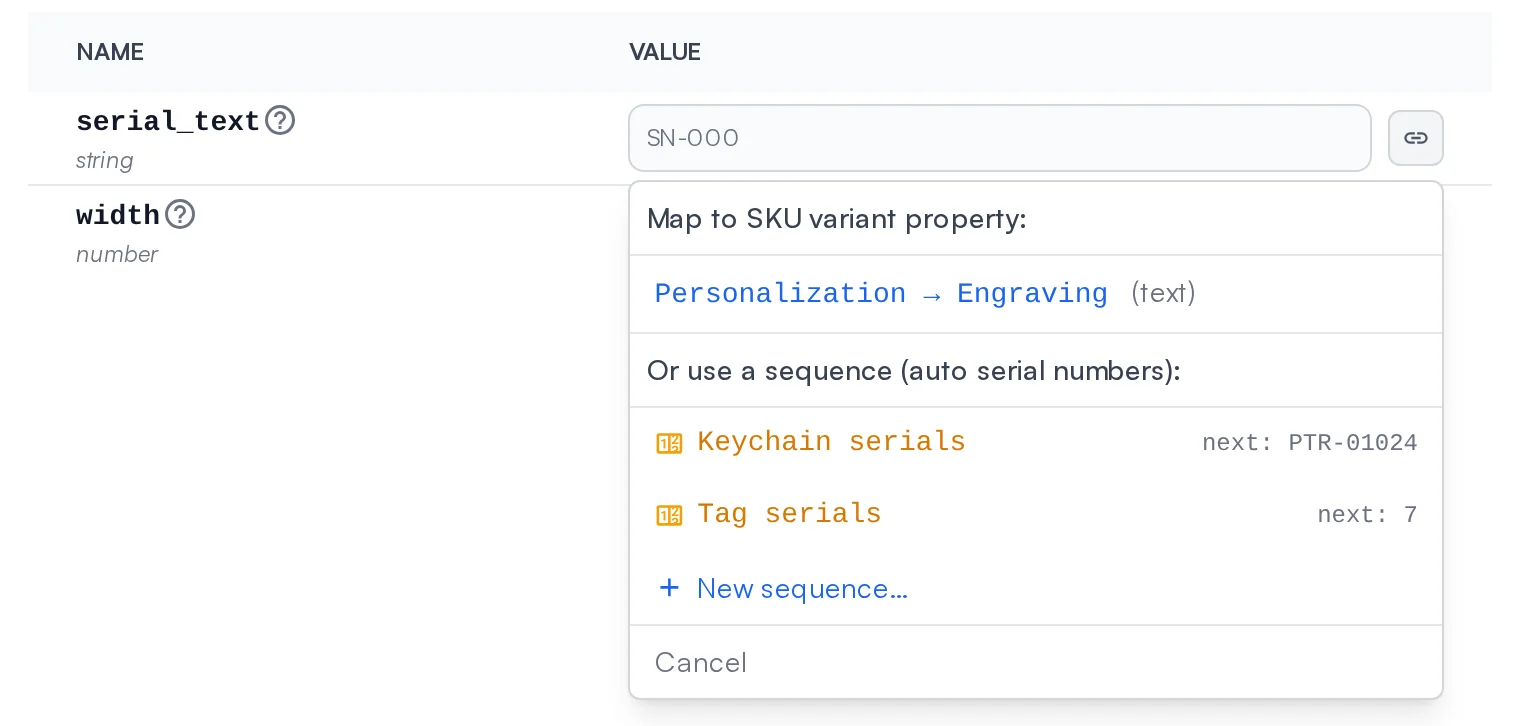
Open the SKU, click the link button next to the text parameter, and pick a sequence from the dropdown, right below the SKU variant properties you already map parameters to. Each sequence shows its live next serial so you know what the next unit will say. Need a new one? Create it without leaving the dialog. From then on the parameter's value is supplied automatically on every print, and the SKU shows an amber chip naming the sequence that feeds it.
Point one SKU at a sequence and it numbers that product. Point several SKUs at the same sequence and they share one numbering pool across the product line.
Serials That Read the Way You Want
Every sequence has a display format: an optional prefix and suffix, a zero-padded width, and a number style. Choose plain digits, or a base 32 style of letters and numbers that leaves out I, L, O and U so a printed serial is never misread as another. PTR-01024, TAG-0007, SN-2K9F: the format is yours. Once a sequence issues its first serial the format locks, because a reformatted sequence could eventually produce a string that reads the same as one you already shipped.
A Number Is Never Issued Twice
Serials are consumed the moment prints are queued, and they never go back into the pool. Cancelled or failed prints keep their numbers, because the physical item may already exist. Retrying a job prints the same serial again, and the retry confirmation tells you so and lists the exact serials about to be printed a second time. Fast-forwarding a sequence to skip numbers is always allowed. Rewinding it past serials already issued is an explicit opt-in that makes you acknowledge those serials will be printed again.
One Plate, One Serial or Twelve
A 3MF plate can carry the same text placeholder on more than one object: a plate of twelve keychains that all have a Serial field. You decide what that means. Share across plate consumes one serial per print and puts the same number on every object, which is right when the plate is one product with the number on several faces. Increment per object consumes one serial per object, in the order they appear in the file, so every keychain comes off the plate with its own consecutive number. A running badge shows how many serials a queue click will use before you click it, and the issue history records which plate, and which object, received each one.
Built into the Queue and Your Orders
Queue a serialized SKU and Printago creates one job per unit, each with its own serial and its own slice. The run stays together in the queue as one group in serial order, and reordering moves it as a unit. Queue rows show an amber serial chip; a row covering several serials opens the full list.
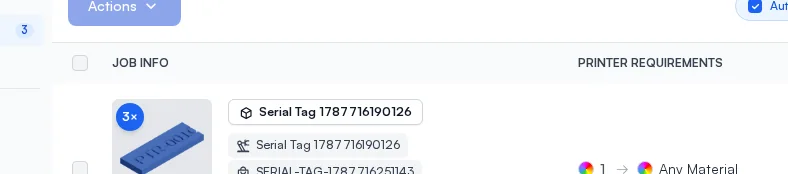
Serialized prints work with everything else in Printago. Each unit keeps its SKU instance number through order fulfillment. Units packed onto a shared plate by plate merging each keep their own serial, and the merged plate's row lists all of them. Every sequence keeps a full issue history, newest first, recording each serial with the print job that consumed it, so you can always answer "which print made this one?"
Made for Serialized Production
Sequences pair with SKU Variants so a single product listing can carry personalization and a serial at the same time, and with Parametric Parts for products whose geometry changes per order as well as per unit. Sequences are available on commercial plans of the hosted Cloud Platform and on the self-hosted edition.
Frequently asked questions
See also
Sign up for free today
No credit card required. Connect unlimited printers and get production automation running in minutes.