
BambuStudio 2.8.2, Redesigned printer page, and SKU variant aliases
The printer page is now a console for running the machine, with the camera, controls and every print attempt one tab away.
A printer page built for running the printer
The printer page used to be a settings form with monitoring on the side. It's now built around the machine. When you open a printer, you see what it's doing and the controls to act on it, with the settings one tab away.
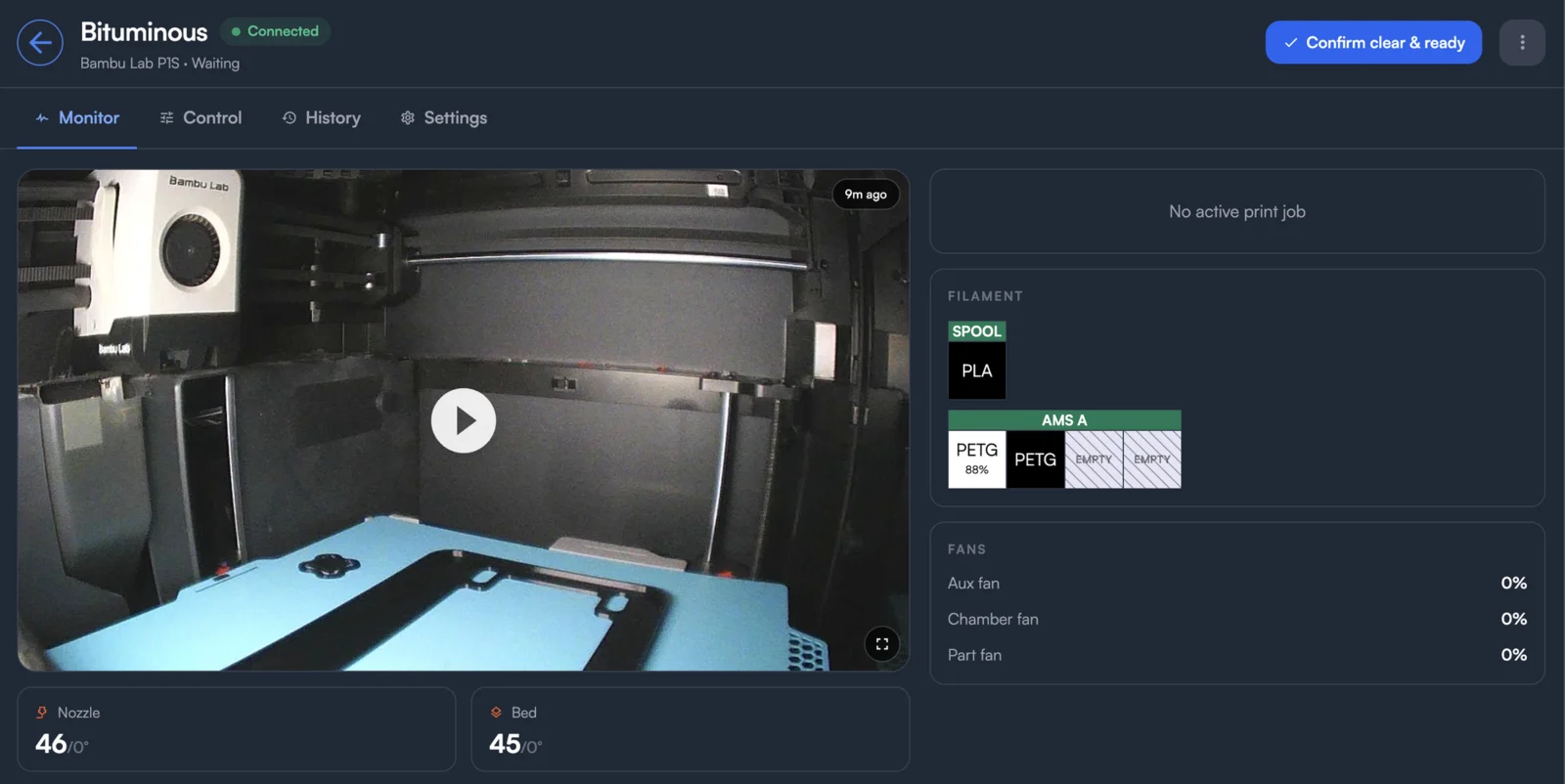
The page is organized into four tabs. The tab you're on is saved in the address bar, so you can bookmark or share a link straight to it.
- Monitor puts the live camera first, with progress along its bottom edge. Next to it are nozzle, bed and chamber temperatures, then the running job: its order, parts, stage, layer, time left and the clock time it will finish. Filament, fans and HMS alerts are below.
- Control puts the movement pad beside temperatures and fans. Skip Objects shows up while a print is running and Calibration while the printer is idle.
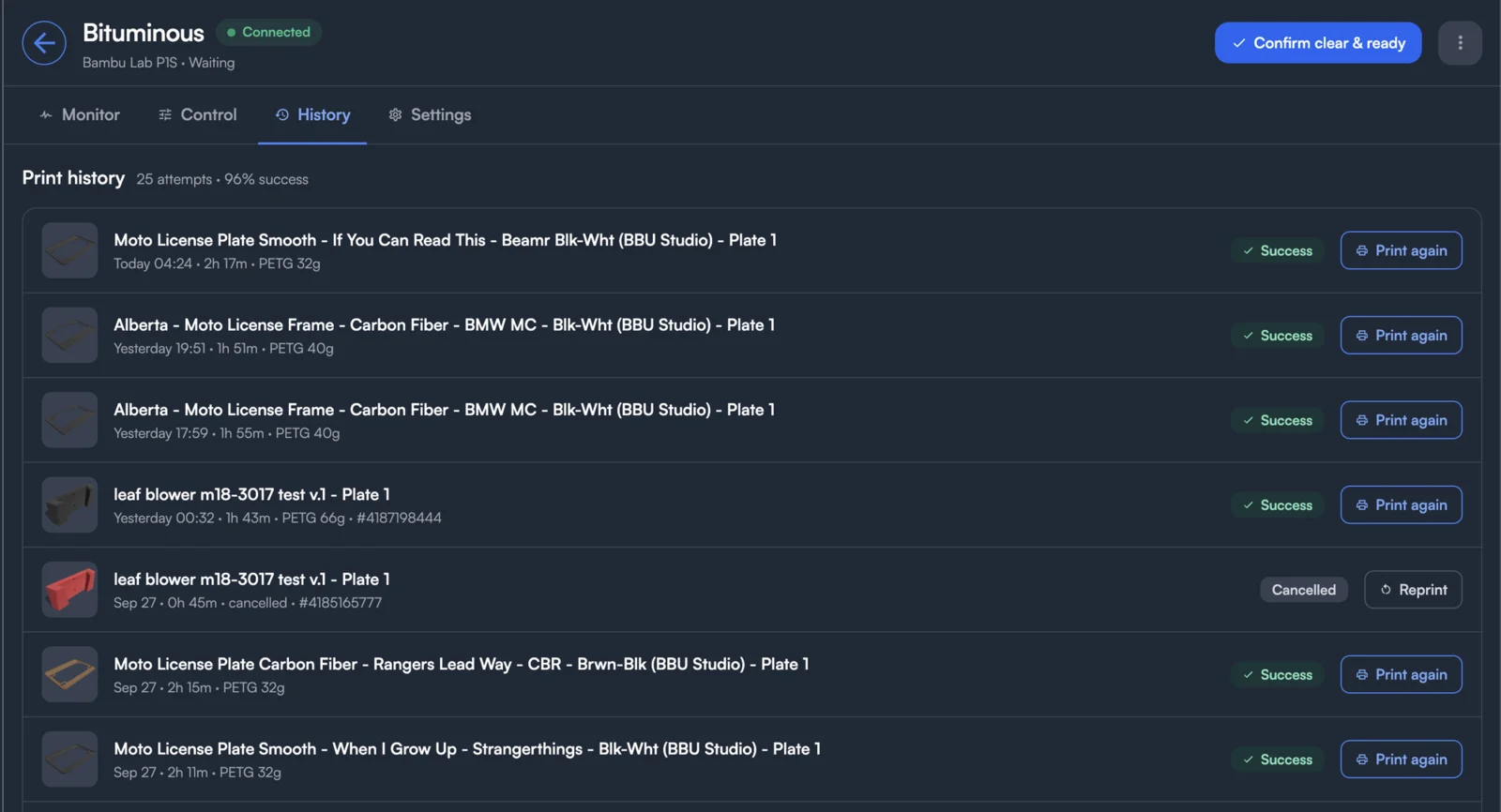
- History lists every print attempt on this printer, not just every job. When a print fails and is retried, you see both attempts. Each shows how long it ran, the filament it used, its order and how it ended. A failed attempt also shows the layer it stopped at. A summary line gives the success rate. Reprint retries a failed or cancelled job. Print again builds a new job from a part that finished.
- Settings holds the printer's name, tags, slicer configuration, materials, hardware, maintenance and custom fields. A red badge on the tab tells you when slicing isn't set up yet.
SKU variant aliases
A variant value can now have alternate names. If your listing says "Navy Blue" and your SKU says "Navy", add "Navy Blue" as an alias. Orders then match without you renaming either one. Aliases show as pills next to the value name.
BambuStudio 2.8.2
You can now slice with BambuStudio 2.8.2, the latest release. It comes with Bambu's 2.8 printer and material profiles. Pick it for a single part or for the whole store from the slicer menu.
Performance optimizations
Printago opens faster, and pages load quicker as you move around the app, even on farms with lots of printers. API response times are faster too, so the app and your own integrations get answers sooner.
Store ID header is now optional for API keys
Requests authenticated with an API key no longer need the X-Printago-StoreId header. Each API key belongs to one store, so Printago now reads the store from the key. Existing integrations keep working: if you still send the header, it just has to match the key's store. See Authentication for details.
Fixes
- Custom filament profiles saved in BambuStudio for printers with several nozzle types (X2D, H2D, P2S) no longer fail every slice with "Invalid parameter value(s) included in the 3mf file".
- On Klipper printers, including the Snapmaker U1, jobs that finish cleanly are no longer recorded as Cancelled after the printer's first cancel.
- The Elegoo Centauri Carbon camera stays on after the printer reconnects or restarts (requires Fuse 1.4.9).
- A SKU that limits a variant to certain values no longer matches order suffixes for the values it leaves out.
- The Save button for job custom fields only appears when there's something to save.
Sign up for free today
No credit card required. Connect unlimited printers and get production automation running in minutes.