
What Does Slice Plate Mean in Bambu Studio?
June 19, 2026
Slice Plate in Bambu Studio turns the models on your build plate into printable G-code. What it does, how it differs from Slice All Plates, and what comes after.
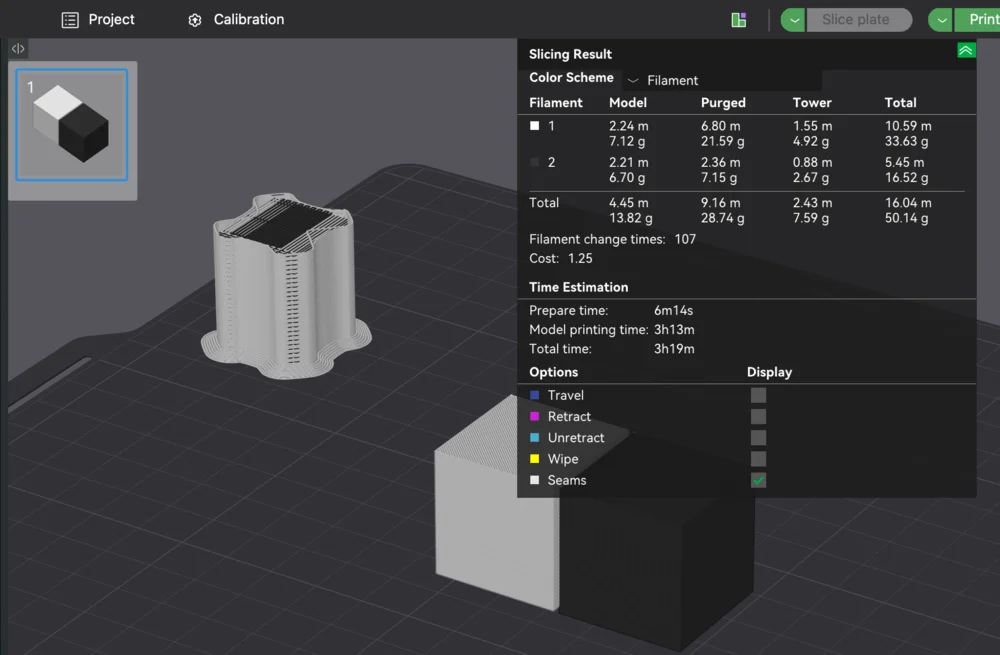
Slice Plate in Bambu Studio turns the models on your current build plate into G-code: the actual layer-by-layer toolpaths the printer follows. Before slicing you only have 3D models on a virtual plate; slicing is the step that calculates how to print them.
What slicing produces
When you click Slice Plate, Bambu Studio applies your process, printer, and filament settings to the models and generates the toolpaths, along with estimates of print time and filament use. Nothing is sent to the printer yet; you are just preparing the instructions.
After it finishes, open the Preview to step through the layers and confirm the print looks right. From there you can print directly to the machine or export the sliced file.
Slice Plate vs Slice All Plates
- Slice Plate processes only the plate you are currently viewing.
- Slice All Plates processes every plate in the project at once.
If you have laid out several plates worth of parts, Slice All Plates gets them all ready in one step.
Why this matters for a print farm
Slicing is the bottleneck step in any operation: it is where models become machine instructions, and at farm scale doing it by hand, one plate at a time, does not scale. That is the whole reason cloud slicing exists.
Printago slices in the cloud automatically with the same Bambu Studio and OrcaSlicer engines, so jobs are turned into G-code and routed across the queue without anyone clicking Slice Plate per job. See print farm slicing for how that changes the workflow.
More Bambu Studio guides
Read the Bambu Studio in the cloud, or browse all slicer guides.
Frequently asked questions
Sign up for free today
No credit card required. Connect unlimited printers and get production automation running in minutes.