
How to Change Z Offset in Bambu Studio
June 19, 2026
Adjust Z offset for a Bambu printer to fix first-layer squish. Where the setting is in the slicer, how to tune it on the printer, and which way to move it.
Z offset controls how close the nozzle sits to the bed on the first layer, which is the single biggest factor in first-layer quality. On Bambu printers you set it on the printer itself (the device screen or the Bambu Handy app), not in Bambu Studio, whose printer settings do not include a Z offset field. A negative value moves the nozzle closer to the bed; a positive value lifts it.
Where to change it
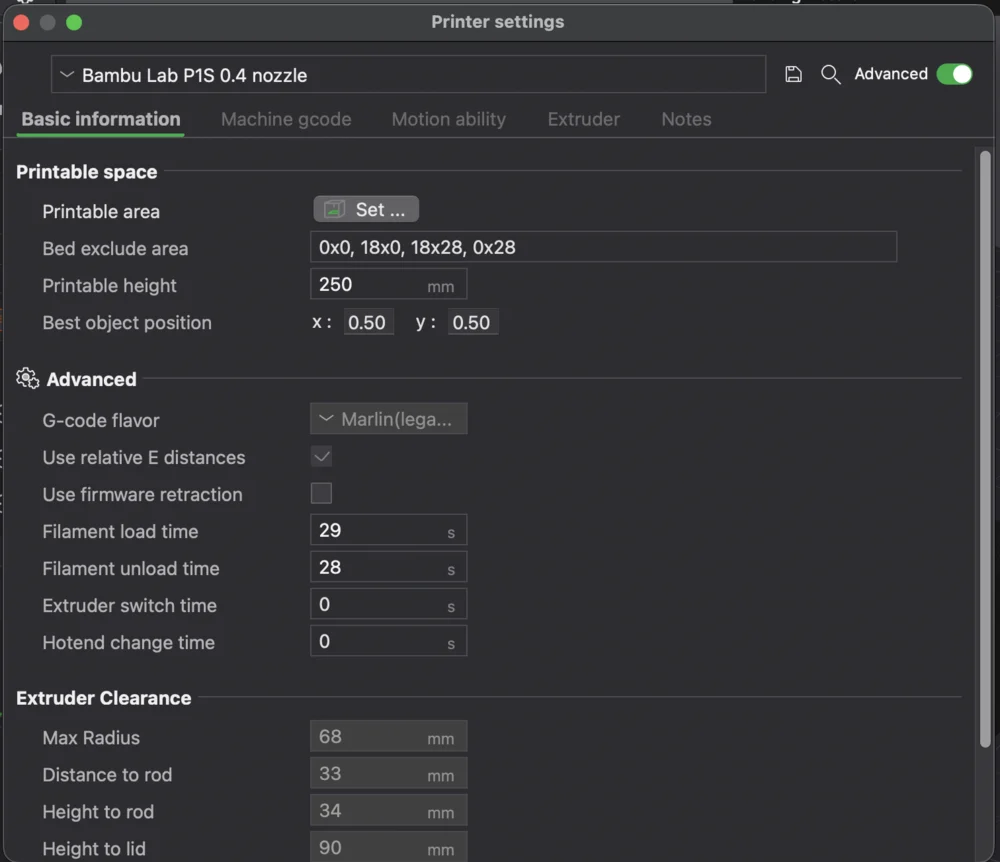
On Bambu printers, Z offset lives on the printer, not in Bambu Studio. The slicer's printer settings do not expose a Z offset field (the P1S printer settings below have none), because Bambu machines manage first-layer height through their own calibration.
- On the printer or Bambu Handy: adjust Z offset from the device screen or the Bambu Handy app, before or during a print, which lets you dial the first layer live while you watch it.
- Re-run auto bed leveling first. Z offset is a fine adjustment on top of a good level, not a fix for an unlevel bed.
Which way to move it
- First layer too high (not squished, lines barely touching, poor adhesion): decrease Z offset (more negative) to bring the nozzle closer.
- First layer too low (nozzle dragging, lines flattened or translucent, marks in the bed): increase Z offset (more positive) to lift it.
Adjust in small steps, around 0.01 to 0.05 mm, and judge each change by the first layer. Z offset is sensitive, so small numbers matter. Tuning first-layer flow alongside it (see setting temperature and print speed) helps too.
Why this matters for a print farm
Z offset is per-printer: every machine has its own sweet spot, and a value that is perfect on one printer can ruin first layers on another. In a farm you cannot bake one global number into a shared profile and expect good first layers everywhere.
Printago keeps per-printer configuration separate from the shared slicing profile, so each machine carries its own Z offset while the print settings stay common across the queue. That separation is what lets one profile route safely to many machines. See how to set up a 3D print farm and the Bambu Lab print farm guide.
More Bambu Studio guides
Read the Bambu Studio in the cloud, or browse all slicer guides.
Frequently asked questions
Sign up for free today
No credit card required. Connect unlimited printers and get production automation running in minutes.