
ShipStation Orders
Connect ShipStation and orders from Walmart, Amazon, Wix, Squarespace, BigCommerce and every other channel you ship through it import into Printago, matched to your SKUs and ready to print.
Every channel you ship from, in one print queue
Orders from Walmart, Amazon, Wix or Squarespace reach ShipStation but never reached Printago, so each one was retyped by hand. Connect ShipStation and orders from every store in the account import on their own, matched to your SKUs and, with auto-print on, queued for your printers. A new channel costs you a ShipStation store, not more order entry.
Paste your API key from Settings → Account → API Settings, click Test connection, and pick which stores to import. A store you already connect directly, like your Shopify shop, is flagged so its orders don't arrive twice.
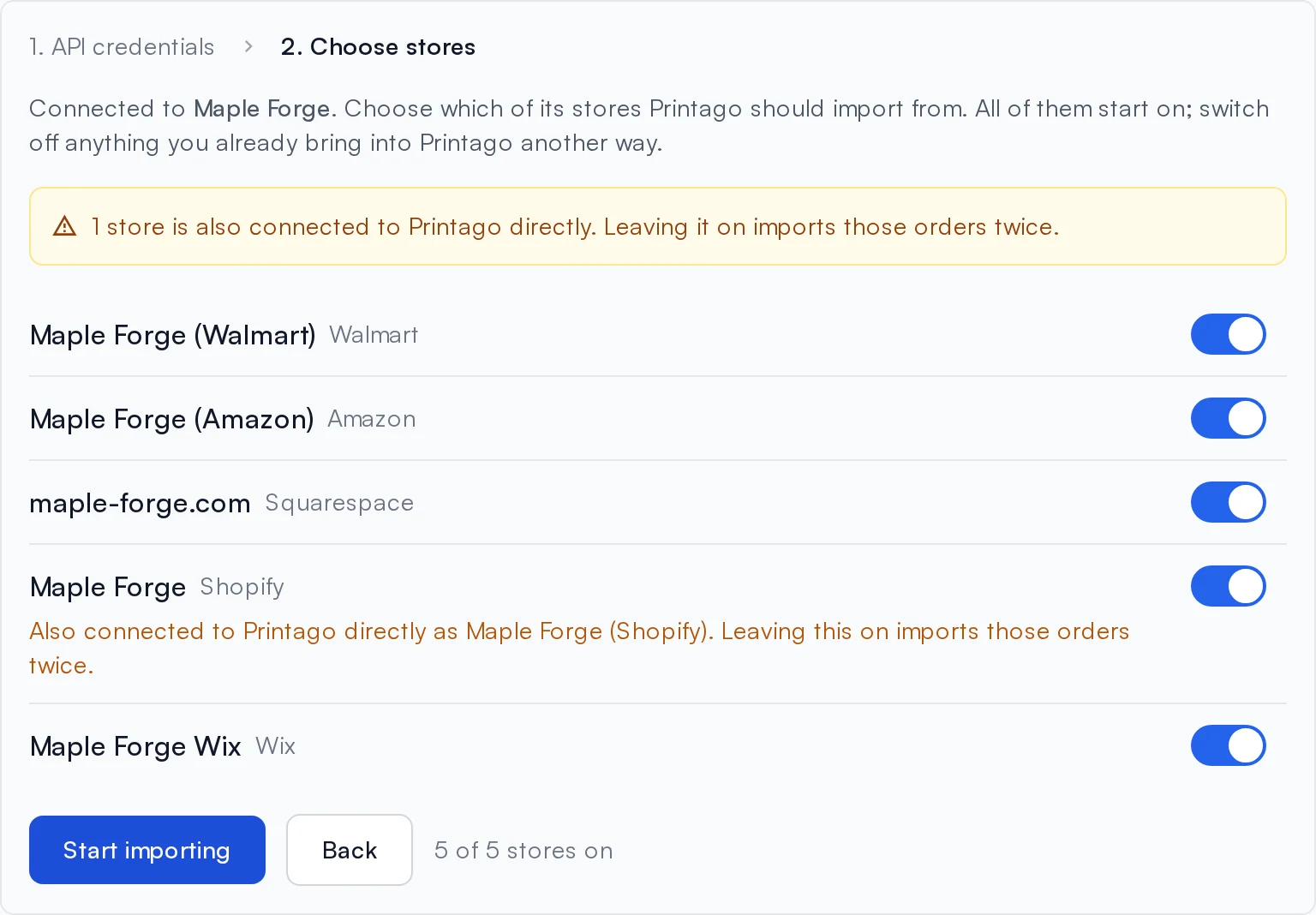
Per-variant SKU codes from Walmart and Amazon, like SIGN-RD-L, resolve through SKU suffixes. Orders arrive within seconds, and cancellations and shipments follow from ShipStation. Printago only reads from ShipStation; you keep shipping there as you do today.
ShipStation is a free add-on: open Marketplace, find ShipStation, and click Activate. See the ShipStation integration guide.
Sign up for free today
No credit card required. Connect unlimited printers and get production automation running in minutes.