
Blog
Printago Release: Printago Studio, Filament Inventory, QR Workflows, and TikTok Shop, Wix and Shippo Orders
November 10, 2026
Printago Studio puts a full slicer in your browser, built into Printago. Also new: filament inventory and spool tracking, QR tags for printers and spools, and orders from TikTok Shop, Wix and Shippo.
Printago is 3D print farm software that runs production from order to finished print. It works for a side hustle with three printers and for a facility with three hundred. This post covers what shipped in October and early November 2026 and what each change lets you do.
The short version: Printago Studio puts a full slicer in your browser, Filament Inventory keeps your stock and the filament cost of every print, QR Workflows lets you work the floor by scanning tags, and orders from TikTok Shop, Wix and Shippo now import and queue on their own. The full notes are on the changelog.
Can I slice and edit a part in the browser?
Yes. Every part in Printago now has Open in Studio, a full slicer in your browser with nothing to install. Changing one setting no longer means downloading the file, opening a desktop slicer on the one computer with your profiles, and uploading it again.
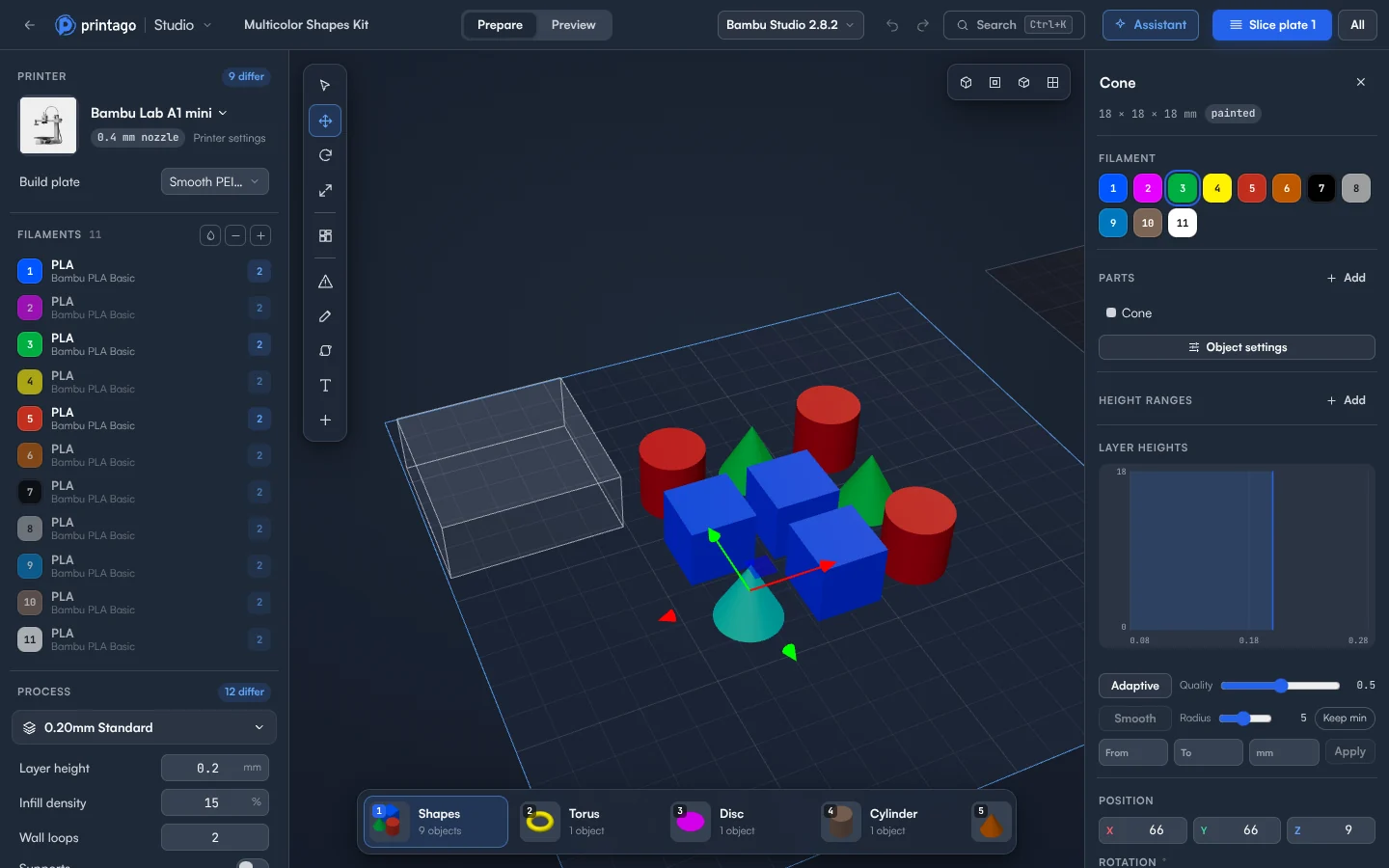
- Edit like you would on the desktop. Move, rotate, scale and arrange. Change any setting for the whole plate or a single object, and add modifiers, negative parts, and support blockers or enforcers.
- Slice with the real engines. Studio runs unmodified Bambu Studio and OrcaSlicer, with your Printago profiles listed first.
- Check every layer. Preview shows the toolpaths, print time, grams per color, material cost and color changes.
- Print it or keep it. Add to Printago queue prints exactly the G-code you checked, or save your changes back to the part so every future order uses them.
- Ask the assistant. It changes your plate, slices, and checks the result, and every step can be undone.
- Open OpenSCAD and G-code parts. Change an OpenSCAD part's options and the model updates in place. G-code and gcode.3mf parts open straight into their toolpaths.
- Use any device. Any modern browser, including Chromebooks, iPads and phones.
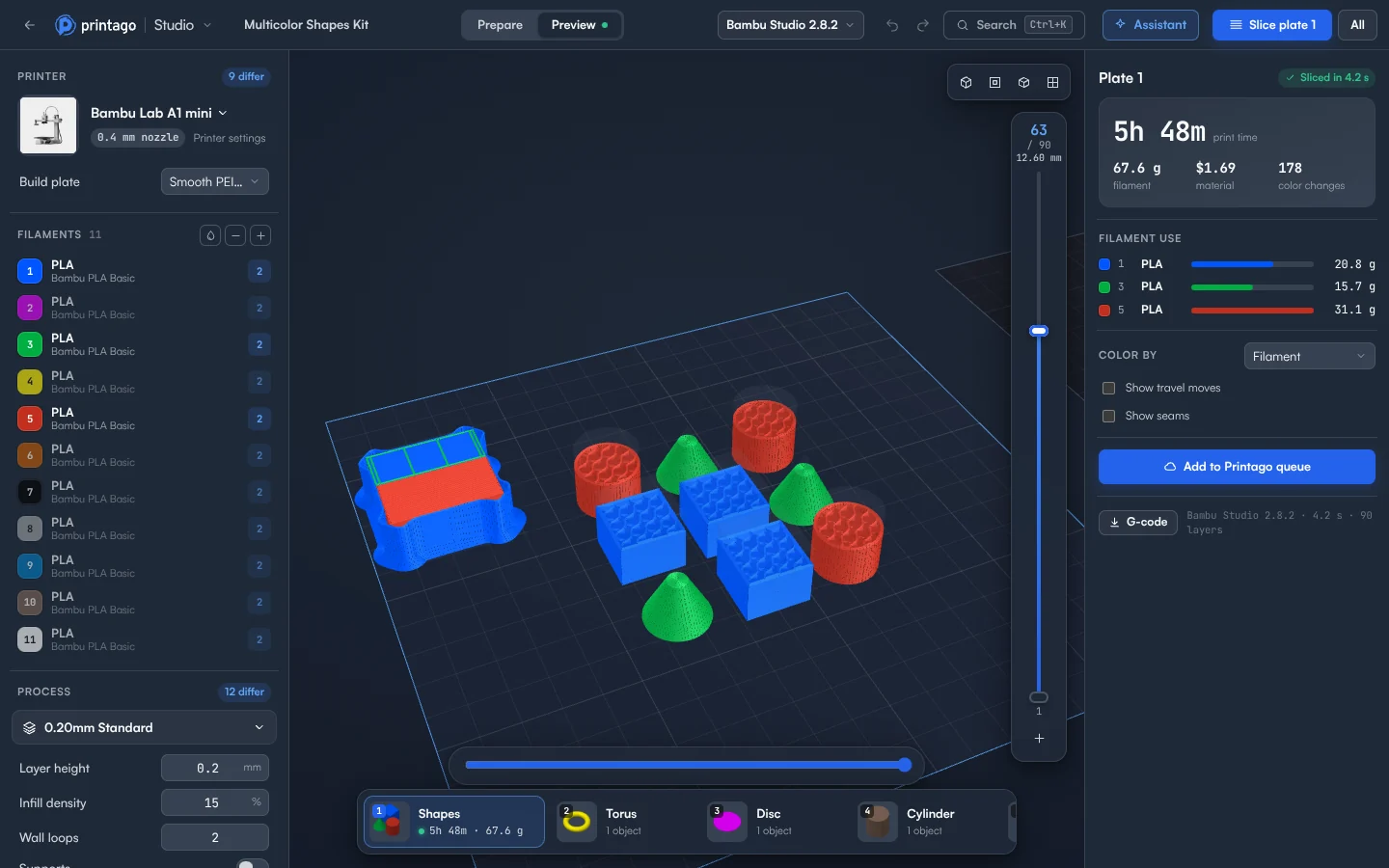
Every organization has Printago Studio, with 60 minutes of cloud slicing and rendering a month for free, or 60 per production slot on a paid plan. Jobs sliced by your print queue don't count. See how to use Printago Studio or the Printago Studio page.
How do I keep track of filament stock?
Turn on Filament Inventory, tell Printago what you have once, and record deliveries as they arrive. Every finished print takes what it used off that color's stock. The Materials list shows what you have on hand, what it is worth, and what your prints used this month.
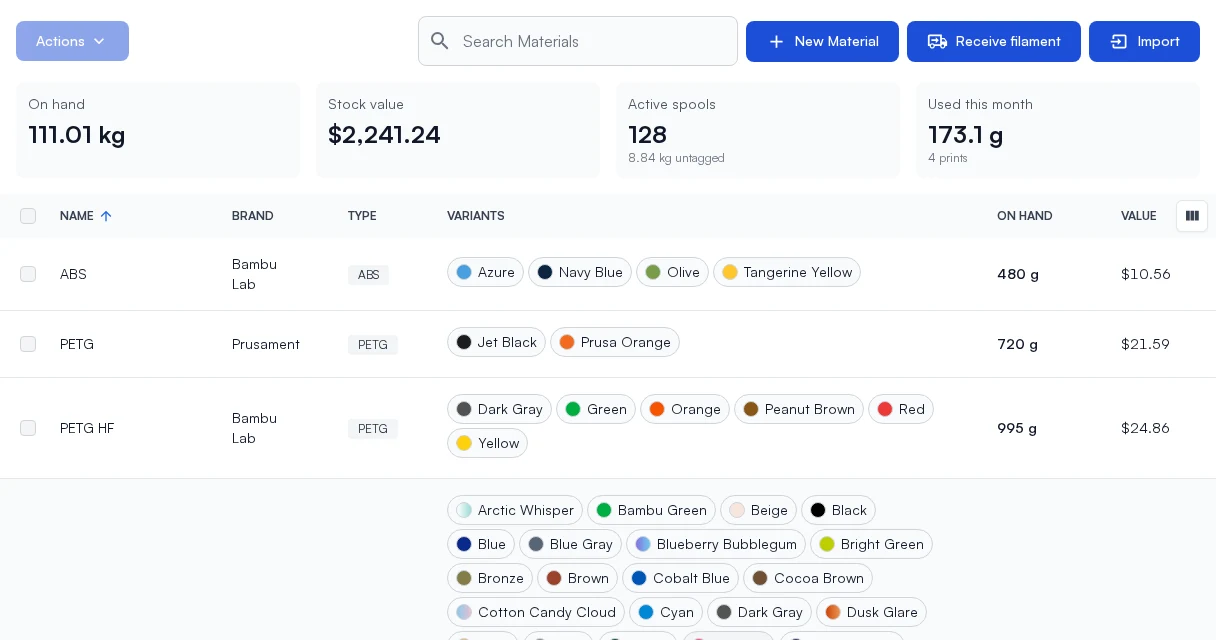
It works three ways, and you can move from one to the next without redoing anything:
- By weight only. Stock is a weight per color. Adjust bulk weight sets what is on the shelf; Receive filament records a delivery. The Activity tab names the print behind every drop.
- Bulk, then spools when you open them. Convert to spools gives each opened roll its own record and a label. RFID-tagged rolls become spools on their own when a printer reads them.
- Every roll from the day it arrives. Tick Track as spools in Receive filament and each roll carries the price you paid, the supplier and the order number.
Each spool has its own page: what is left, what it cost, and every print that drew from it, with who queued it and on which printer.
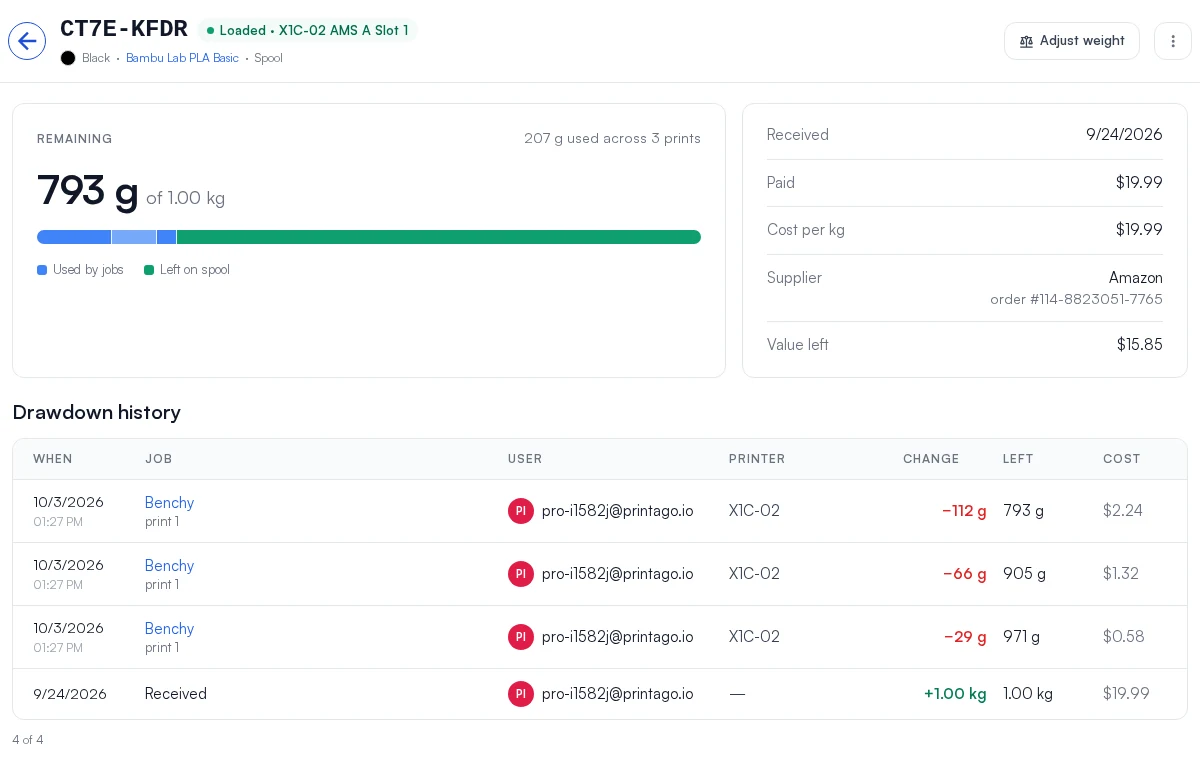
Filament Inventory and Spool Tracking are free while in preview. Update every Fuse client to 1.4.11 first. See Filament Inventory.
How do I know what each print cost in filament?
Every finished print now records what its filament cost, slot by slot, at the price you paid: the roll's own price, then the delivery it came in on, then the color's, then the material's. Failed and canceled prints keep the cost of what they used. The cost is saved with the print, so repricing a material later no longer rewrites last month's spend in the Materials and Profit reports. On a job's page, Material used has a Drawn from column showing which spool or bulk each slot drew from.
Can I scan QR codes to run the print farm floor?
Yes. QR Workflows prints tags for printers, AMS slots and external spool holders, filament colors and spools, plus blank tags you set up the first time you scan them. Labels print on thermal label printers or Avery sheets.
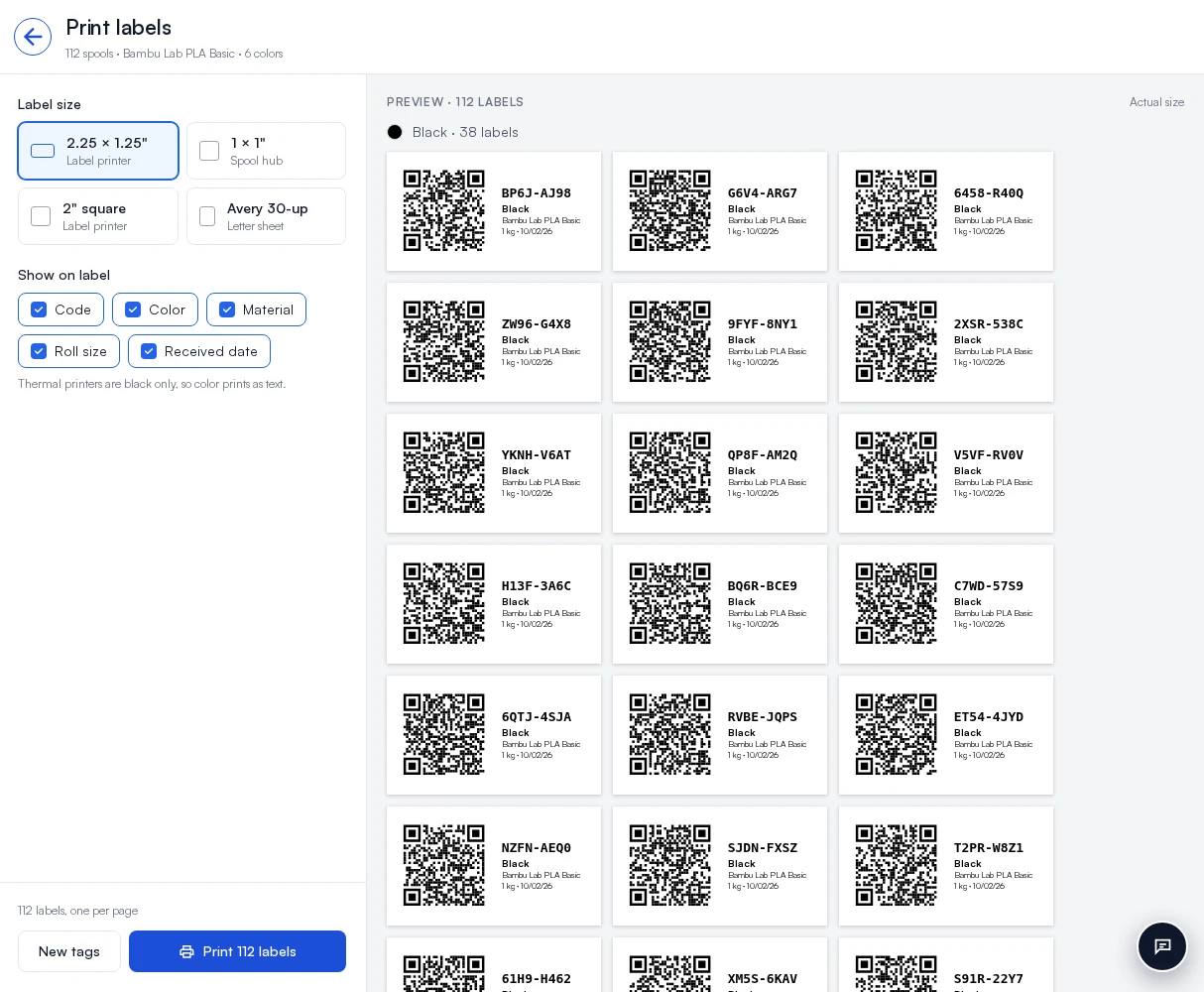
- Scan a printer and it opens with the action it most likely needs as the main button: Confirm ready when the bed is waiting to be cleared, Resume when it is paused.
- Scan two tags together and the button names what happens. A filament and a slot assigns the filament. Two slots move or swap. A spool and a printer loads the spool.
- No app needed. Scan, at the top right of every page on a phone, opens the camera. On a computer, the scan page takes a USB or Bluetooth barcode scanner and lists every tag scanned in the session.
- Choose what a scan offers under Settings > General > QR workflows.
QR Workflows comes with every Printago store. See QR Workflows.
Which new stores can send orders to Printago?
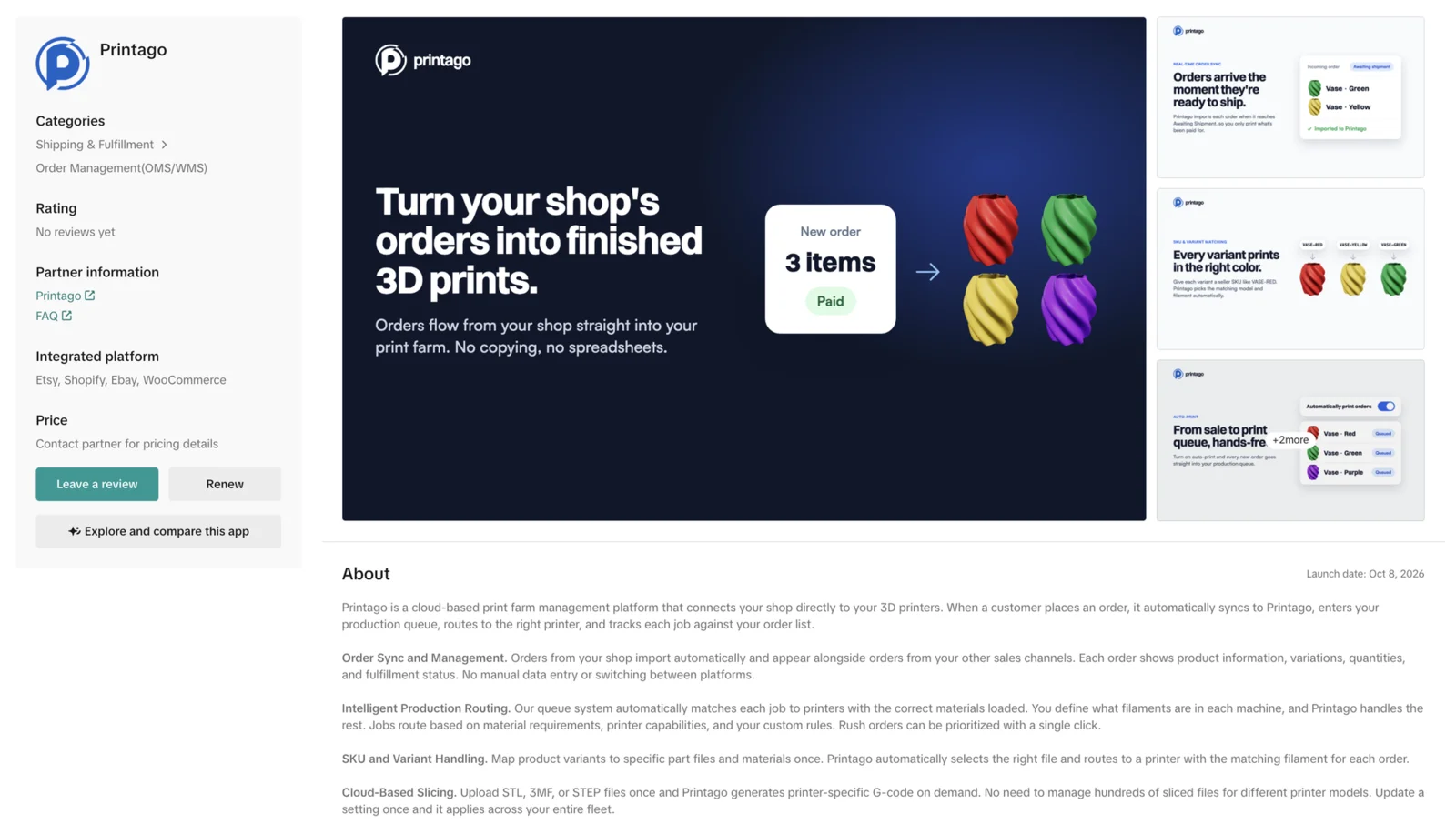
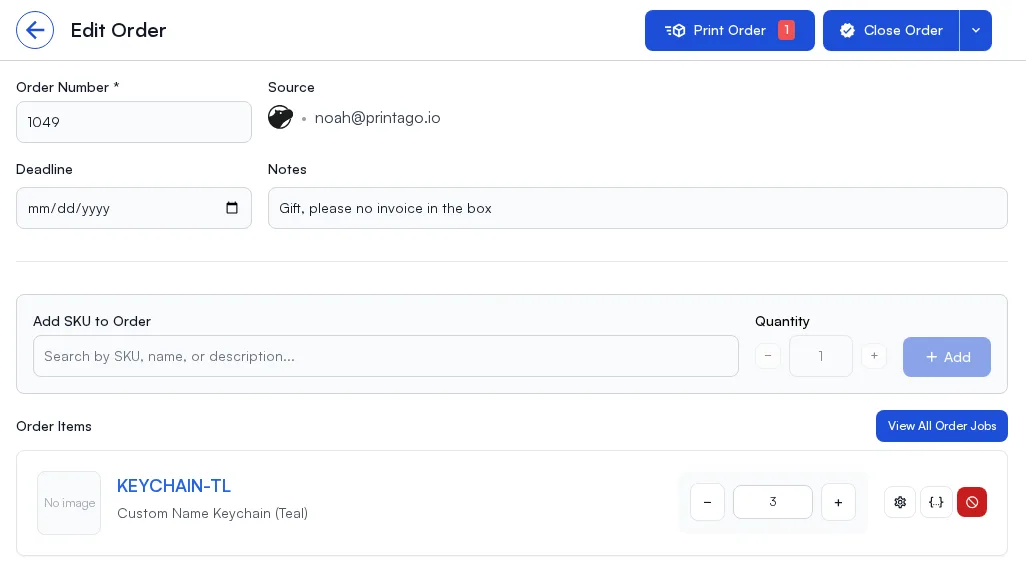
TikTok Shop, Wix and Shippo. Each one imports orders on its own, matches them to your SKUs, exactly or through SKU suffixes, and, with auto-print on, queues them for your printers. All three are free add-ons in Marketplace. Store integrations need a Commercial account, whose first production slot is free.
Does Printago work with TikTok Shop?
Yes, for sellers in the US. Click Connect TikTok Shop and approve Printago in your seller account. Orders import once TikTok marks them Awaiting shipment, so nothing prints while the buyer can still cancel for free. Items match on the seller SKU, so give every variation its own. Sync Orders pulls in up to 90 days of past orders. See the TikTok Shop integration guide.
Does Printago work with Wix?
Yes. Connect Wix Site installs the Printago app on your site, and the last 30 days of orders import right away. New paid orders arrive within about a minute of checkout, with the options the buyer picked and anything typed into a custom text field, so a name or an engraving line reaches the print without retyping. Orders on offline payment methods wait until they are paid. See the Wix integration guide.
Does Printago work with Shippo?
Yes. Paste your Shippo API key, click Test connection, and choose which channels to import: Amazon, Etsy, Squarespace, BigCommerce and the rest. A channel you already connect directly is flagged so its orders don't arrive twice. Printago checks every 15 minutes, and Import now checks right away. Printago only reads from Shippo; you keep buying labels there. See the Shippo integration guide.
What else shipped?
- Flashforge printers. With Fuse 1.4.11, the Adventurer 3 and 4 series, Artemis, Adventurer 5M, 5M Pro and AD5X connect to Printago and take jobs from the queue. The AD5X is verified on real hardware, with its four-slot material station; the other models are experimental until they are. See Flashforge Integration.
- Plate previews on gcode printers. Jobs sent through Fuse to the Centauri Carbon, Snapmaker U1, other Klipper printers, Prusa and OctoPrint carry the plate picture. Requires Fuse 1.4.11.
- TikTok Shop sync fix. Orders keep syncing after the first week.
Every detail is on the changelog. Printago is free to start with unlimited printers: try it.
Frequently asked questions
Sign up for free today
No credit card required. Connect unlimited printers and get production automation running in minutes.