
Wix Orders
Connect your Wix site and store orders import into Printago within about a minute, matched to your SKUs with the buyer's options and custom text, and queued for your printers with auto-print on. Free to activate.
Your own site sells it, your printers already know
A Wix site is the channel a print shop owns: no marketplace commission, your own brand, your own customers. Until now each of those orders was copied into Printago by hand, or sent the long way round through ShipStation. Connect your Wix site and paid store orders import on their own within about a minute of checkout, matched to your SKUs and, with auto-print on, queued for your printers. Selling direct stops costing you an evening of order entry.
Connecting installs the Printago app on your site, the same way you add any Wix app. Open Wix in Printago, click Connect Wix Site, pick the site in the Wix window that opens, and approve. Printago never sees your Wix password, and the last 30 days of orders import as soon as you land back. Run more than one site and Add Site connects each of them, with a site picker to switch between them.
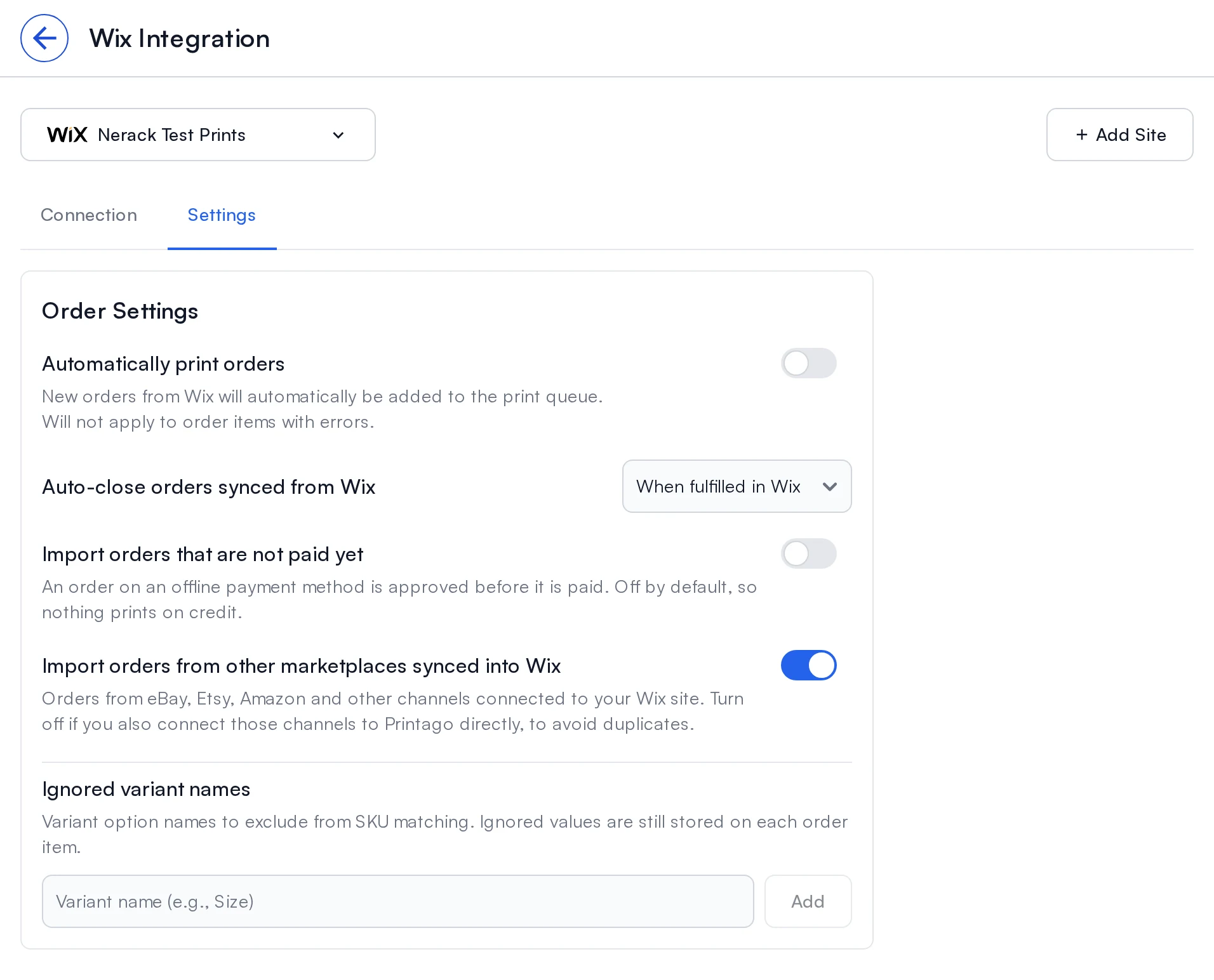
Items match on the SKU you set on the Wix product or variant, either exactly or through SKU suffixes like WIDGET-001-RED-LG. The options a buyer picked come across by the name they saw, and so does anything typed into a custom text field, so a name or an engraving line reaches the print without anyone retyping it. Options that don't change the part, like gift wrap, go in Ignored variant names.
Two switches are particular to Wix. An order on an offline payment method, such as bank transfer or cash on pickup, waits until it is paid so nothing prints on credit; Import orders that are not paid yet brings those in early if that is how you work. And if your Wix site already collects orders from eBay, Etsy or Amazon, those import too, unless you turn off Import orders from other marketplaces synced into Wix because you connect that channel to Printago directly.
After an order arrives it stays in step with Wix. Cancel or fully refund it there and it is cancelled in Printago. Fulfill it in Wix and Printago records the shipped date and, by default, closes the order. A check every 3 hours catches anything a notification missed, and Sync now looks back 7, 30 or 90 days whenever you ask. Tracking can also go the other way: the Printago API marks orders fulfilled in Wix with their tracking numbers. There is no button for that in the app yet.
Your site needs Wix Stores installed, and only physical items import; digital downloads, gift cards and bookings are skipped. Wix is a free add-on: open Marketplace, find Wix, click More info, then Activate. See the Wix integration guide.
Sign up for free today
No credit card required. Connect unlimited printers and get production automation running in minutes.