
How to Change the Color of a Print in Bambu Studio
June 19, 2026
Assign a different color to an object, paint multiple colors onto one model, and set up multi-color prints in Bambu Studio with or without an AMS.
How you change color in Bambu Studio depends on what you want: recolor a whole object, or paint several colors onto one model. Both are quick once you know where they are.
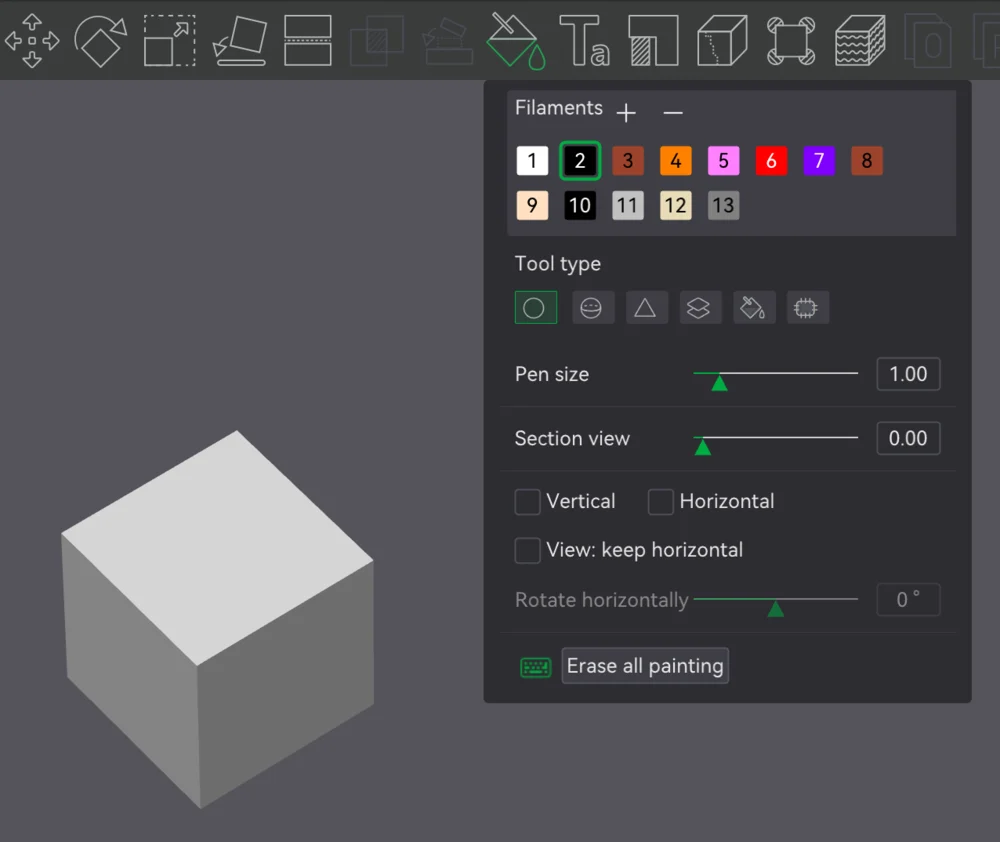
Change the color of a whole object
Select the object and assign it a different filament slot from the filament list. Each slot is a color/material. With an AMS installed, the printer switches to that filament automatically; without an AMS, the slicer inserts a filament-change pause so you can swap the spool by hand at the right moment.
This is the simplest case: one object, one color, different from the others on the plate.
Paint multiple colors on one model
For more than one color on a single object, use the Color Painting tool:
- Select the model.
- Open the Color Painting tool from the toolbar.
- Pick a filament color and paint the regions of the surface you want in that color.
- Repeat with other colors. Each painted region prints in its assigned filament.
This is how you get logos, text, or multi-tone surfaces on one part. It pairs naturally with adding text or a custom profile for the materials involved.
With or without an AMS
- With an AMS: color changes are automatic, so multi-color and per-region painting are practical even with many changes.
- Without an AMS: every change becomes a manual swap pause. Fine for a couple of changes, tedious beyond that.
Either way, each change purges filament. Manage that waste with the prime tower and flush settings.
Why this matters for a print farm
Multi-color jobs are slower and more filament-hungry, and without an AMS they require a person at the machine for every swap, which is the opposite of what a farm wants. At scale, route multi-color work to AMS-equipped machines and keep single-color jobs flowing on the rest.
Printago manages mixed Bambu fleets in one queue and tracks color and material per job through material intelligence, slicing in the cloud with Bambu Studio or OrcaSlicer. For scaling Bambu machines, see the Bambu Lab print farm guide.
More Bambu Studio guides
Read the Bambu Studio in the cloud, or browse all slicer guides.
Frequently asked questions
Sign up for free today
No credit card required. Connect unlimited printers and get production automation running in minutes.