
How to Use Bambu Studio on a Chromebook
November 2, 2026
Bambu Studio has no ChromeOS app. Use its real engine in a browser tab instead: open your 3MF, keep your profiles and shortcuts, slice, and check every layer.
Bambu Studio has no ChromeOS app, so the way to use it on a Chromebook is to run its real engine in a browser tab through Printago Studio. Bambu Lab publishes Windows, macOS and Linux builds. On a personal Chromebook you could try the Linux build in ChromeOS's Linux environment, but many managed Chromebooks disable it.
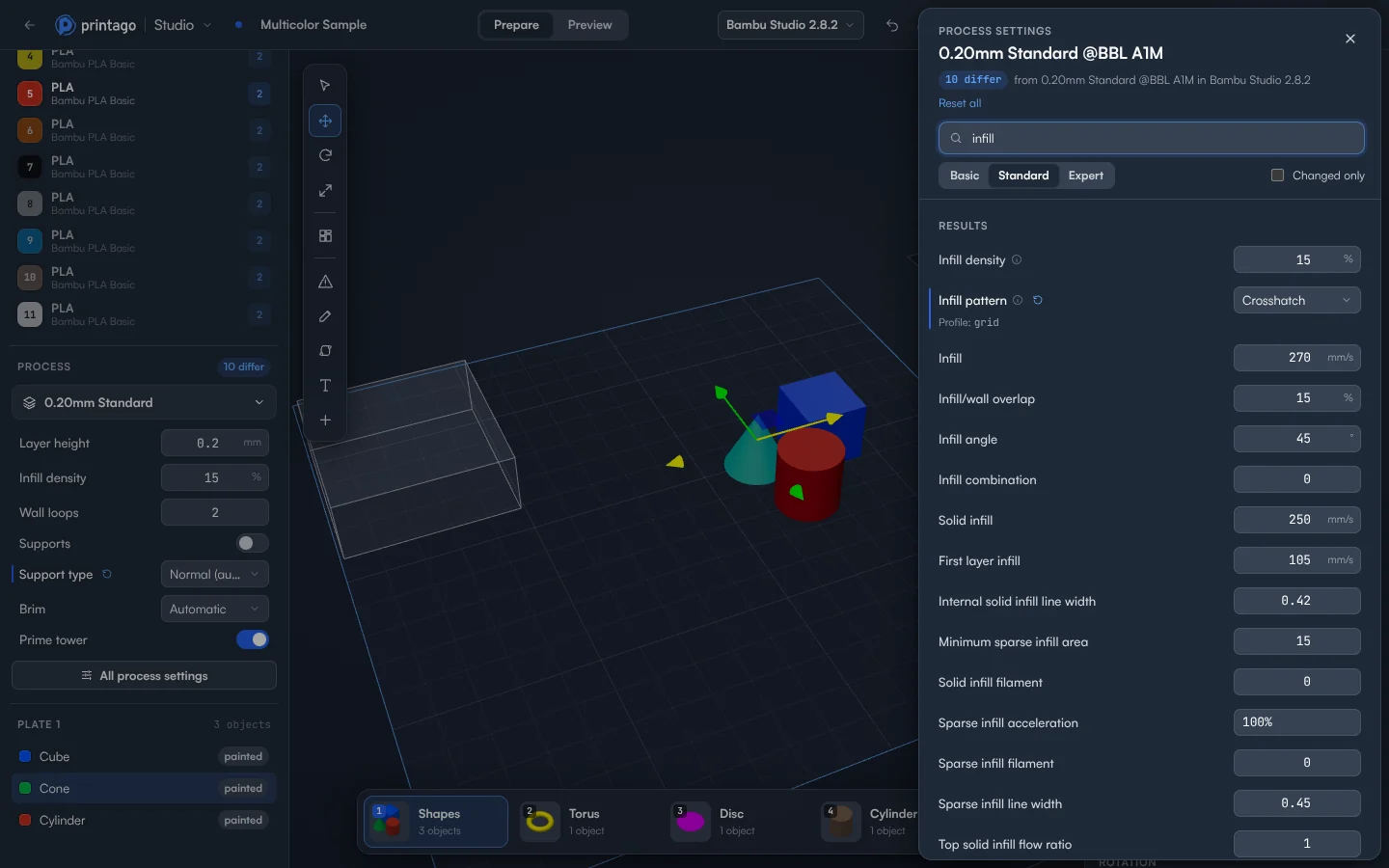
Be clear on what this is. Printago Studio isn't Bambu Studio's window in a browser. It's a full slicer with its own screen, running the real, unmodified Bambu Studio engine.
Slice with the Bambu Studio engine
- Sign in to Printago and open Printago Studio from the sidebar.
- Check the slicing engine in the top bar, which shows the engine and its version. Choose Bambu Studio there.
- Choose Open a local file and pick your project. A Bambu Studio 3MF opens with its plates, objects, painted colors, modifiers and per-object settings.
- Click a differ chip next to Printer or Process to see what the project changes from its profile.
- Press Ctrl+K to search. Type a setting's name, or the problem: "stringing" finds the retraction settings.
- Click Slice plate 1, or press Ctrl+R.
- In Preview, read From the engine. It lists what the engine has to tell you in plain words, such as a bed temperature too high for the chosen build plate.
Bring your profiles and habits
Your profiles live in Printago, so they don't need copying to each computer. Connect your Bambu account and the Bambu integration imports your cloud-synced profiles. Or export a bundle from Bambu Studio on another computer, then use Import Profiles under Printing > Profiles. They show first under Your Printago profiles in Choose a printer.
The keyboard shortcuts of Bambu Studio work here too: M, R and S for the move, rotate and scale tools, A to arrange every plate, Tab to switch between Prepare and Preview. Press ? to see them all.
Going back and forth
- File > Download .3mf gives you a project to open on another computer.
- Text you add is saved the way Bambu Studio saves its own, so it stays editable there.
- G-code in the Preview panel downloads the plate for an SD card.
Slicing runs on Printago's servers. You get 60 minutes of cloud slicing and rendering time a month free, and more on a paid plan. Jobs sliced by your print queue don't count.
Why this matters past one Chromebook
Printago is 3D print farm software that runs production from order to finished print. The profiles you use in this tab are the ones your queue slices with, and Bambu Studio in Printago carries that across a fleet. For the steps to a finished print, see how to send a print from a Chromebook, and the docs for every panel.
Create a free Printago account and open your Bambu Studio project.
More Chromebook guides
Read the Printago Studio, or browse all slicer guides.
Frequently asked questions
Sign up for free today
No credit card required. Connect unlimited printers and get production automation running in minutes.