
eBay Integration
List on eBay without adding a third order inbox.
You already sell on Etsy or Shopify, and eBay is the obvious next channel. What stops most print shops is one more place to check and one more set of orders to copy over. Connect your eBay seller account and paid orders import within seconds, into the same list as everything else.
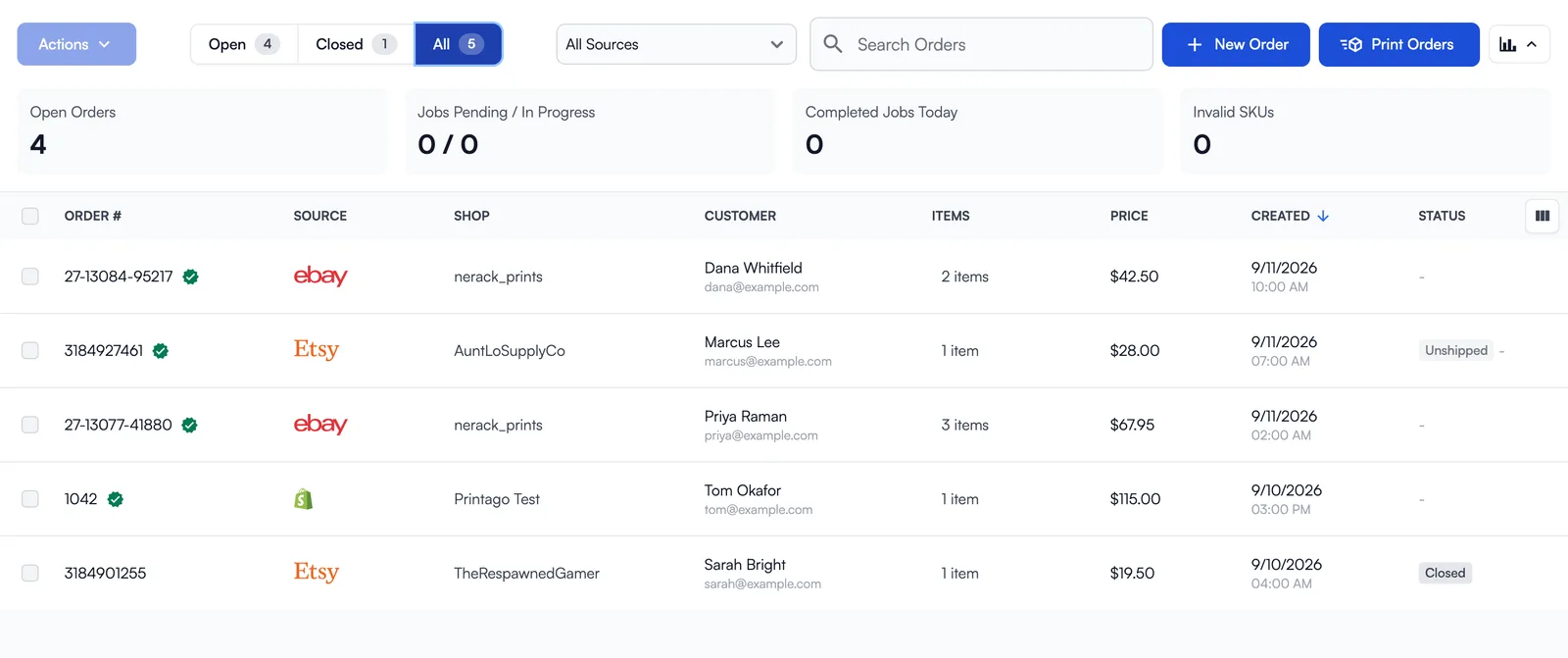
How the eBay integration works
Three steps from an eBay sale to a job on a printer.
Connect your seller account
Click Connect eBay Account, sign in on eBay and grant access. eBay returns you to Printago with the account connected.
Orders import when the buyer pays
eBay notifies Printago as soon as an order is paid. An hourly sync sweeps behind it so nothing depends on one notification.
Print and close
With auto-print on, new orders queue right away. Orders close when they ship, when eBay reports delivery, or when you close them.
One list
eBay sits beside Etsy and Shopify, not off to one side
Every order lands in the same Orders page. The Shop column names the seller account it came from, and the filter above the list covers every channel you have connected, so you can look at all eBay accounts, a single account, or everything at once.
More than one account
Sell under more than one handle and connect each account to the same Printago store.
Eight marketplaces
US, UK, Germany, Australia, Canada, France, Italy and Spain.
Auto-print
Newly imported orders queue for printing the moment a buyer pays, if you turn it on.
Auto-close
When shipped, when delivered, or never. Pick one on the Settings tab.
Reliability
Two paths in, so a paid order is not missed
Notifications from eBay usually land in seconds. Behind them a scheduled sync runs every hour and picks up any order that has not started shipping, and Sync Orders on the Settings tab forces a check whenever you want one.
Seconds, normally
eBay tells Printago as soon as a buyer pays.
Hourly sweep
A scheduled sync catches anything a notification missed.
How do eBay orders get into Printago?
You connect your eBay seller account once. From then on eBay tells Printago about each order, and Printago matches it to your SKUs and adds it to the same Orders page as your other channels.
- How you connect
- Sign in to eBay from Printago and grant access
- When orders import
- When the buyer pays, usually within seconds
- Backup check
- Every hour, plus Sync Orders on demand
- Marketplaces
- US, UK, Germany, Australia, Canada, France, Italy, Spain
- Auto-close
- When shipped, when delivered, or never
- Accounts per Printago store
- More than one
- Cost
- Free add-on on a Commercial plan
Every step, with screenshots, is in the eBay integration guide. Plans are on the pricing page.
What it lets you take on
A second sales channel with no second shift
eBay puts the same products in front of buyers who never open Etsy. Because its orders join the queue you already run, the cost of listing there is the listing itself, not another hour a day of order handling.
Good to know before you connect
- Marketplace coverage is the eight listed above.
- The hourly sync only picks up orders that have not shipped yet, so orders already shipped before you connect do not appear.
What Printago does after the eBay order arrives
Printago is 3D print farm software that runs production from order to finished print. Once a eBay order is in, the cloud slicer prepares the file, Gutenbed routes each job to a printer with the right material loaded, and Fuse, the local agent, talks to the printers. It works the same for three printers and for three hundred.
Selling somewhere else too?
All sales channel integrations Ecommerce overviewRelease notes: eBay OrdersPrintago for Etsy sellers
eBay integration questions
eBay is a registered trademark of eBay Inc. Printago uses the eBay APIs but is not endorsed or certified by eBay.
Sign up for free today
No credit card required. Connect unlimited printers and get production automation running in minutes.