
Wix Integration
Sell 3D prints on your Wix site without retyping a single order.
Selling from your own Wix site means no marketplace commission, but every order still has to be copied into the print queue by hand. Connect the site to Printago and paid orders arrive within about a minute, matched to your SKUs and ready to print.
How the Wix integration works
Three steps from a Wix checkout to a job on a printer. No connector app in between and no CSV export.
Install the Printago app
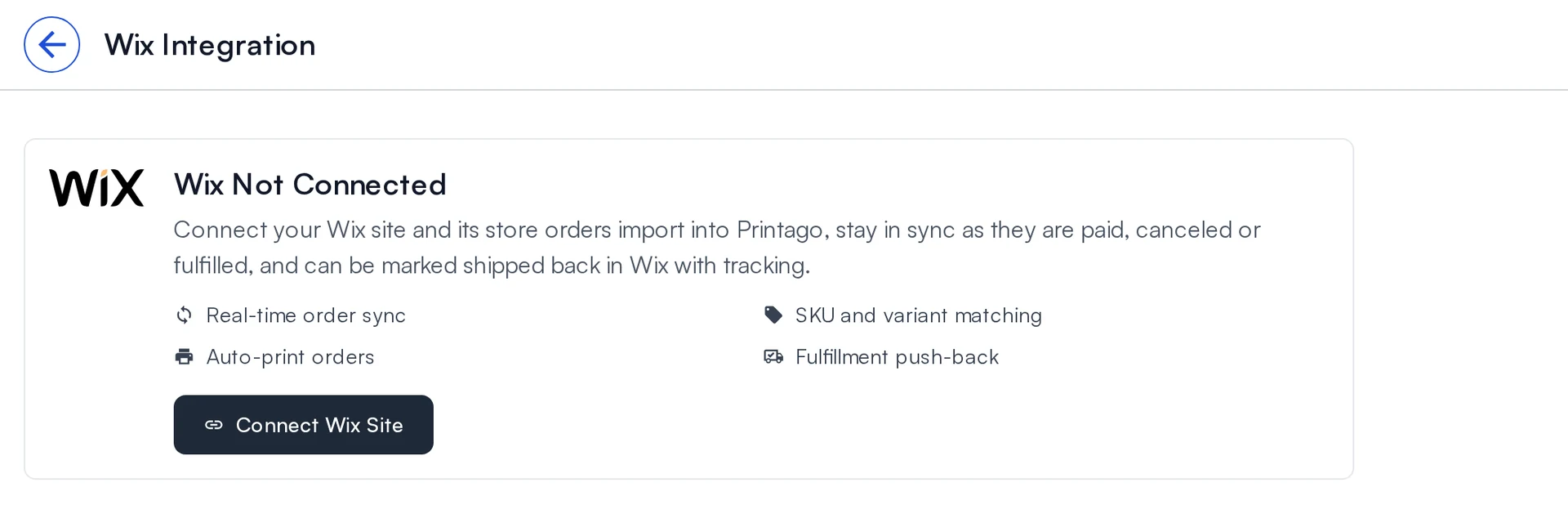
Open Wix in Printago, click Connect Wix Site, pick your site in the Wix window and approve. Printago never sees your Wix password.
Match your SKUs
Give each Wix product or variant the same SKU it has in Printago. Options and custom text fields come across with the order.
Orders queue themselves
The last 30 days import straight away. Turn on Automatically print orders and every new paid order goes to the print queue.
Personalization
Options and custom text reach the printer
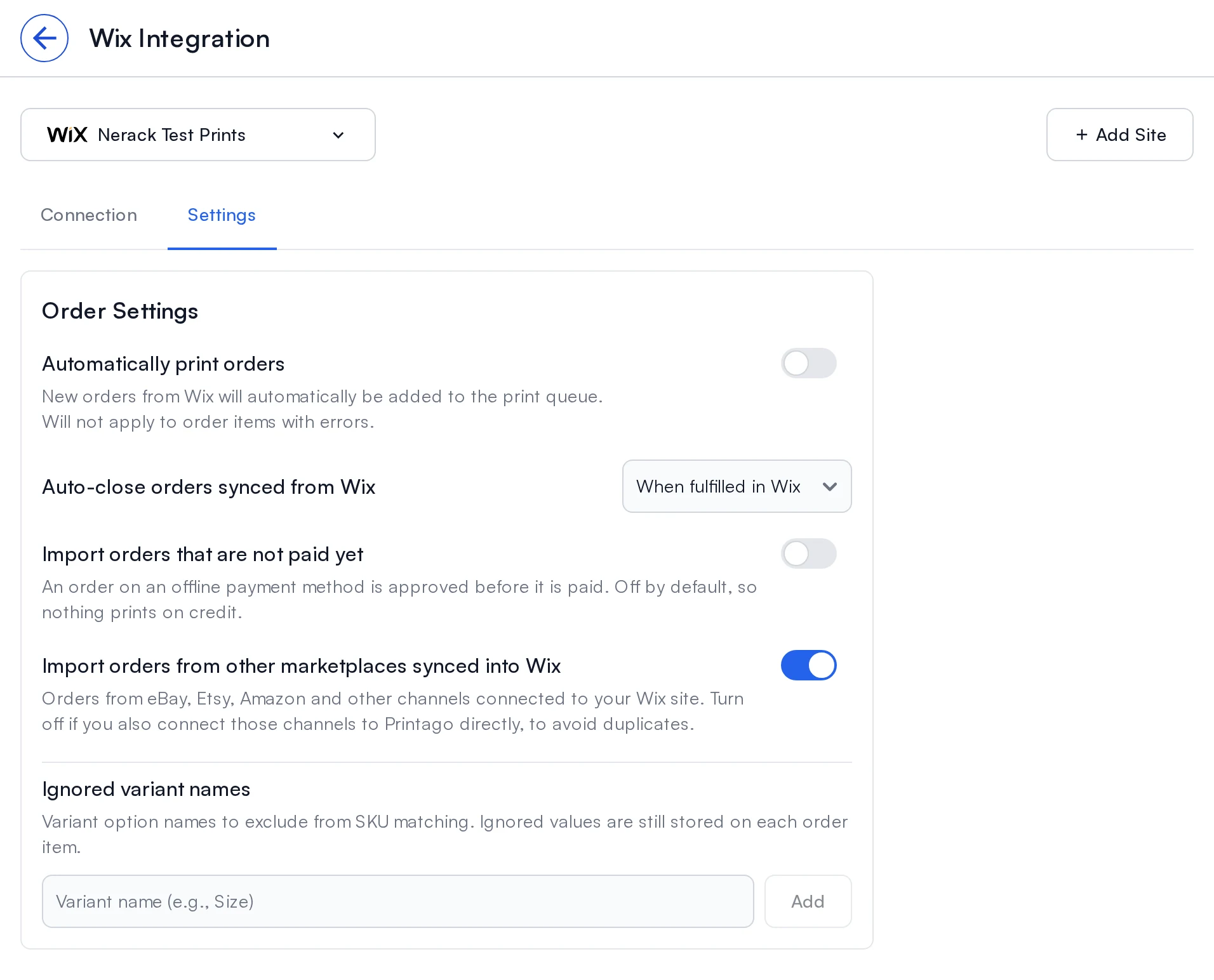
Wix lets a buyer pick a color and type a name on the same product. Printago reads both. Options arrive by the name your customer saw and match your SKU variants; anything typed into a custom text field rides along on the order item, so a name plate or an engraving line prints as ordered.
SKU and suffix matching
An exact SKU match first, then a base SKU plus option suffixes such as WIDGET-001-RED-LG.
Ignored variant names
Options that do not change the part, like gift wrap, are left out of matching but kept on the order.
In sync
Wix stays the place you run the sale
Printago follows each order after it imports. Cancel or fully refund it in Wix and it is cancelled in Printago. Fulfill it in Wix, from the dashboard or a shipping app, and Printago records the shipped date and closes the order.
Real time, with a backup
Wix notifies Printago as orders change. A check every 3 hours catches anything a notification missed.
Tracking back to Wix
The Printago API marks up to 50 orders fulfilled in Wix with their tracking numbers in one call.
Wix specifics
Built around how Wix stores actually take orders
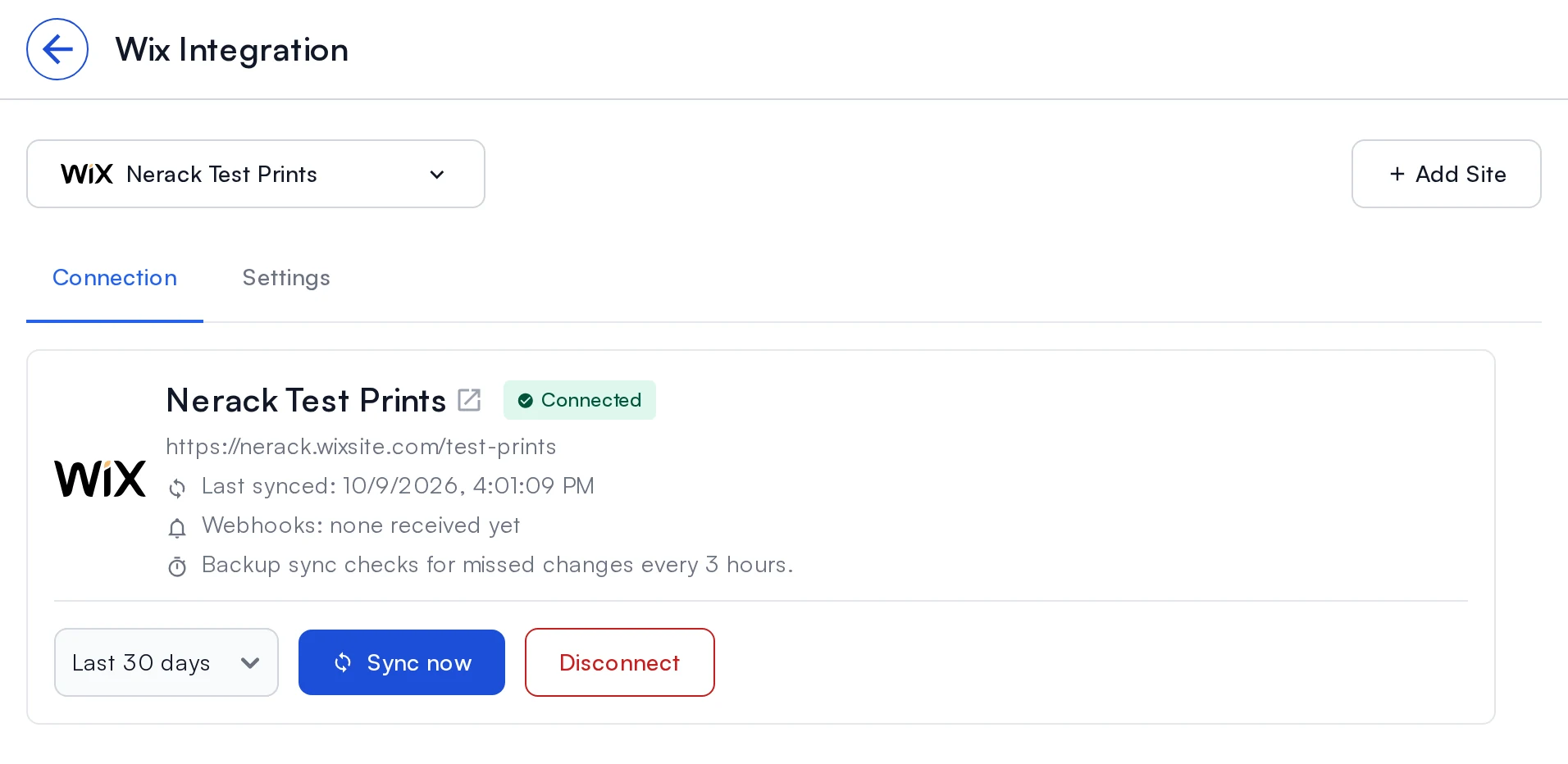
Wix approves some orders before the money arrives and can pull in sales from other marketplaces. Each of those has its own switch, so nothing prints unpaid and nothing prints twice.
Offline payments wait
Bank transfer and cash-on-pickup orders import once they are paid. Turn on Import orders that are not paid yet to bring them in early.
Other marketplaces in Wix
eBay, Etsy or Amazon orders synced into your Wix site import too. Turn that off if you connect the channel to Printago directly.
Physical items only
Digital downloads, gift cards, services and bookings are skipped, so the print queue holds only things to print.
More than one site
Add Site connects another Wix site to the same Printago store, each with its own settings.
How do Wix orders get into Printago?
You connect your Wix site once. From then on Wix tells Printago about each order, and Printago matches it to your SKUs and adds it to the same Orders page as your other channels.
- How you connect
- Install the Printago app on your Wix site from inside Printago and approve it in Wix
- When orders import
- Once Wix marks them Approved and they are paid, usually within about a minute
- Backup check
- Every 3 hours, plus Sync now for the last 7, 30 or 90 days
- First import
- The last 30 days of orders, on their own
- Matching
- Product or variant SKU, option names, and custom text fields
- Cancelled or fully refunded in Wix
- Cancelled in Printago
- Fulfilled in Wix
- Shipped date recorded; order closed by default
- Tracking back to Wix
- Through the Printago API (no button in the app yet)
- Sites per Printago store
- As many as you run
- Cost
- Free add-on on a Commercial plan
Every step, with screenshots, is in the Wix integration guide. Plans are on the pricing page.
What it lets you take on
Keep the margin a marketplace would take
A sale on your own site carries no marketplace commission, and personalized products are where a print shop charges most. With orders, options and custom text arriving on their own, you can send more traffic to your Wix site and add personalized listings without adding order entry.
Good to know before you connect
- Your site needs Wix Stores installed. A site without it cannot connect.
- Each Wix site connects to one Printago store.
- Pushing tracking back to Wix is done through the API today; the app has no button for it yet.
What Printago does after the Wix order arrives
Printago is 3D print farm software that runs production from order to finished print. Once a Wix order is in, the cloud slicer prepares the file, Gutenbed routes each job to a printer with the right material loaded, and Fuse, the local agent, talks to the printers. It works the same for three printers and for three hundred.
Selling somewhere else too?
All sales channel integrations Release notes: Wix OrdersSelling custom productsSKU Variants
Wix integration questions
Wix is a registered trademark of Wix.com Ltd. Printago uses the Wix APIs but is not endorsed or certified by Wix.
Sign up for free today
No credit card required. Connect unlimited printers and get production automation running in minutes.