
How to Slice 3D Prints on a Chromebook
November 2, 2026
Slice 3D prints on a Chromebook with a full slicer in your browser. Open an STL or 3MF, set up the plate, check every layer, and send it to print.
To slice 3D prints on a Chromebook, use a slicer that runs in your browser, such as Printago Studio: open the model in a tab, set up the plate, and slice it. The browser route matters because desktop slicers don't install on most Chromebooks, and many managed school Chromebooks block the Linux environment that could run one.
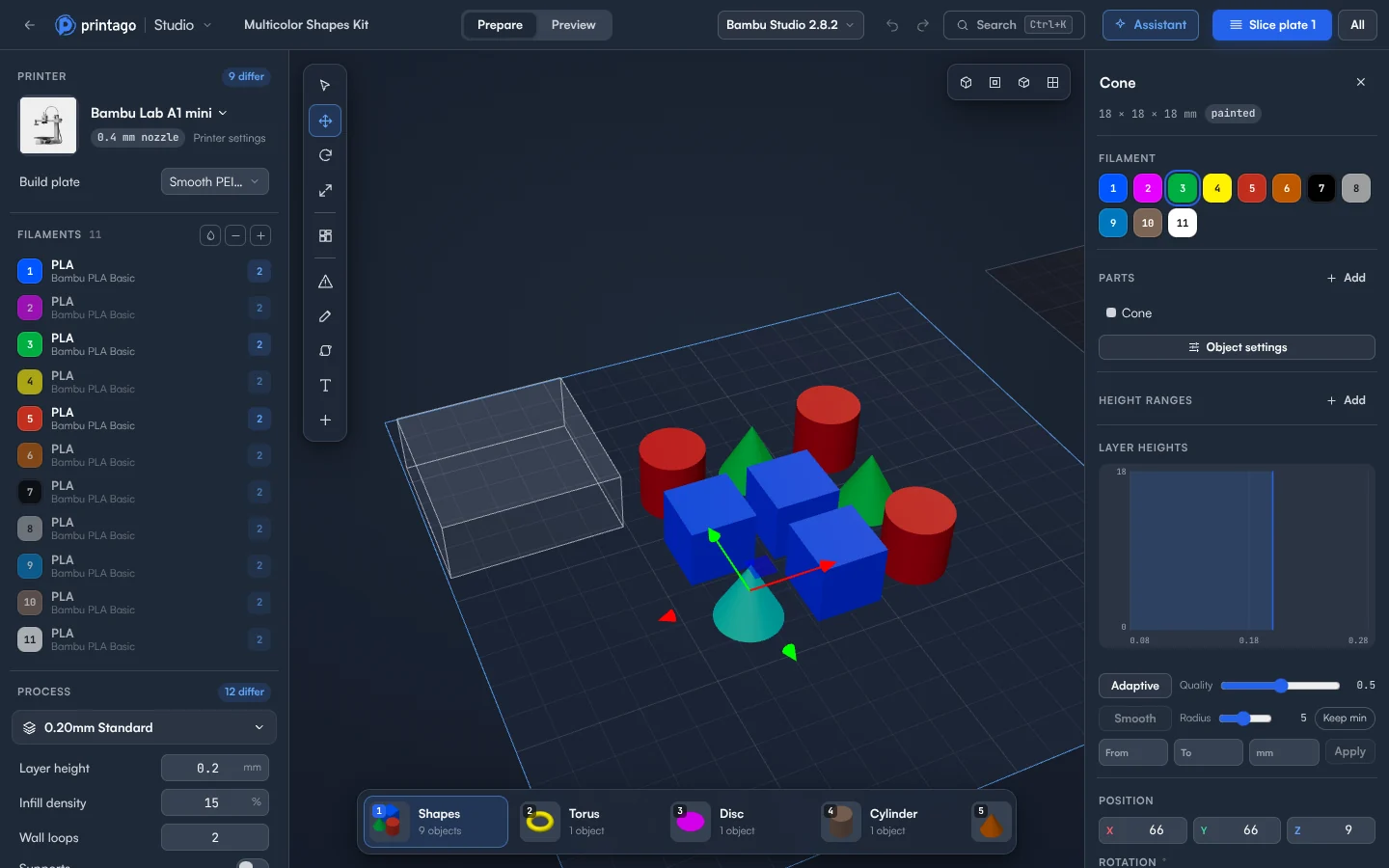
Slicing runs the real, unmodified Bambu Studio and OrcaSlicer engines, and the top bar shows which engine and version you're on. Only the screen around them is different.
Slice your first plate
- Sign up for Printago and open Printago Studio from the sidebar.
- Choose Open a local file and pick a
.stlor.3mf. To try it first, choose one of the samples, such as Multicolor. - In the Setup panel, click the printer's name and use Choose a printer to set your machine. Then pick the Build plate.
- Under Filaments, click the material name to choose a filament profile.
- Under Process, set Layer height, Infill density, Wall loops and Supports.
- Click Slice plate 1, or press Ctrl+R.
- In Preview, read the Print time and Filament figures, then drag the layer slider to check the toolpaths.
- Click Add to Printago queue to print, or G-code to download the file.
What does it cost?
You get 60 minutes of cloud slicing and rendering time a month free, and more on a paid plan. Jobs sliced by your print queue don't count. Slicing & rendering in the File menu shows what you've used and when it resets.
Guides for each task
Open and inspect files
Use the slicer you know
Change the model
- Add text to a model
- Add and paint supports
- Change filament color at a layer
- Change an OpenSCAD model
Print and teach
What is Printago?
Printago is 3D print farm software that runs production from order to finished print. Printago Studio is the part of it you use when you want your hands on a plate, from a computer that can't run a desktop slicer. The docs cover every panel, and our roundup of browser-based slicers compares the other options.
Create a free Printago account and slice your first plate from your Chromebook.
More Chromebook guides
Read the Printago Studio, or browse all slicer guides.
Frequently asked questions
Sign up for free today
No credit card required. Connect unlimited printers and get production automation running in minutes.